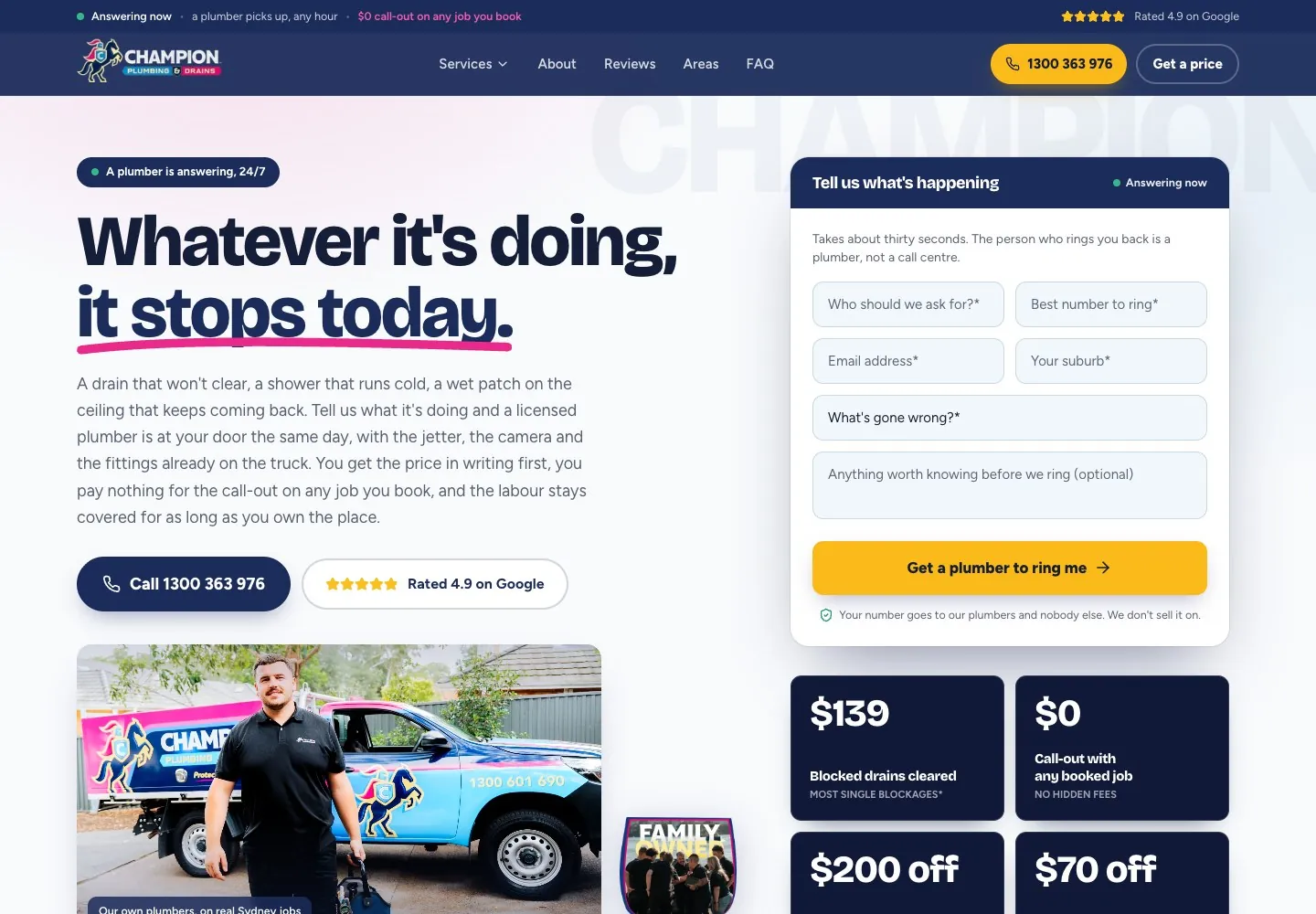
We built five trade mega menus and a Problems menu sorted by room. We also added a problem finder, an interactive plumbing diagram and a suburb map with search.
The business
Champion Plumbing & Drains is a family-owned plumbing business working across Greater Sydney, from Palm Beach to Picton and from Bondi to Penrith. Its licensed plumbers and gas fitters take on everyday and urgent work: blocked drains and sewers, hot water repairs and replacements, leaks and burst pipes, toilets and taps, gas fitting, roof plumbing and renovations. A plumber answers the phone around the clock, and the price is written down before any work starts.
The brief
Champion's earlier site introduced the business well, with a problem-led home page, a callback form, and service and area pages such as blocked drains and the Eastern Suburbs. But people searching for a plumber rarely search for a plumber in general. They search for a specific problem, a specific service or a plumber in their own suburb.
The brief was to give every one of those searches a page about exactly that problem, service or place, and to make the call or the callback as easy from the deepest suburb page as from the home page. The site also had to work as the landing ground for Champion's Google Ads, so every page an ad points to had to match the ad that sent the visitor there.
Five menus by trade, one by problem
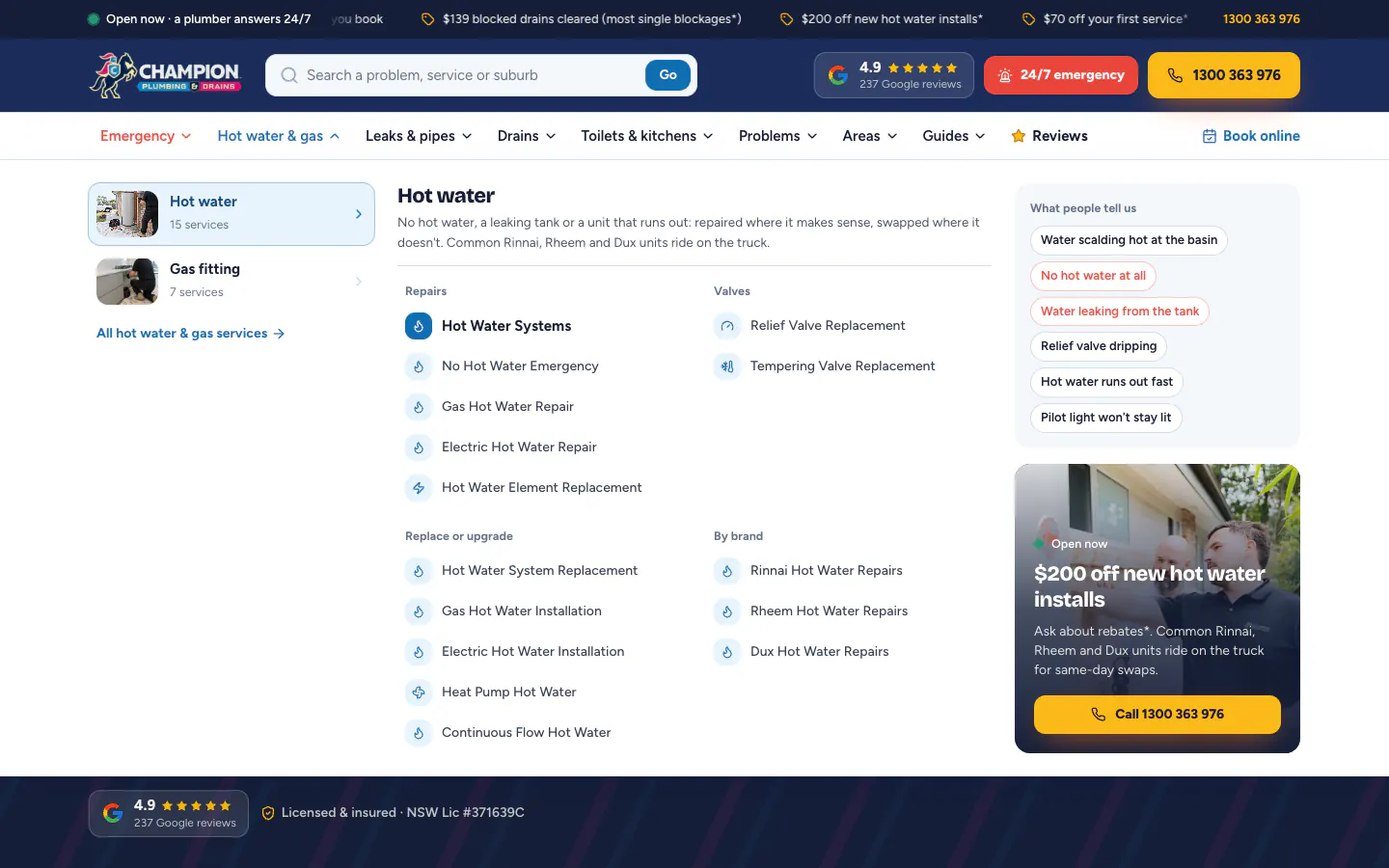
The header carries a search box for a problem, a service or a suburb, the Google rating, a red 24/7 emergency button and the call button, with a ticker of current offers above it. Below it, five mega menus cover Emergency, Hot water and gas, Leaks and pipes, Drains, and Toilets and kitchens. Each opens on its categories, then lists the work by task: in hot water, that means repairs, valves, replace or upgrade, and the common brands. Beside the list sit the things people actually say, such as no hot water at all or a pilot light that will not stay lit, with the urgent ones in red, and an offer card with a call button.
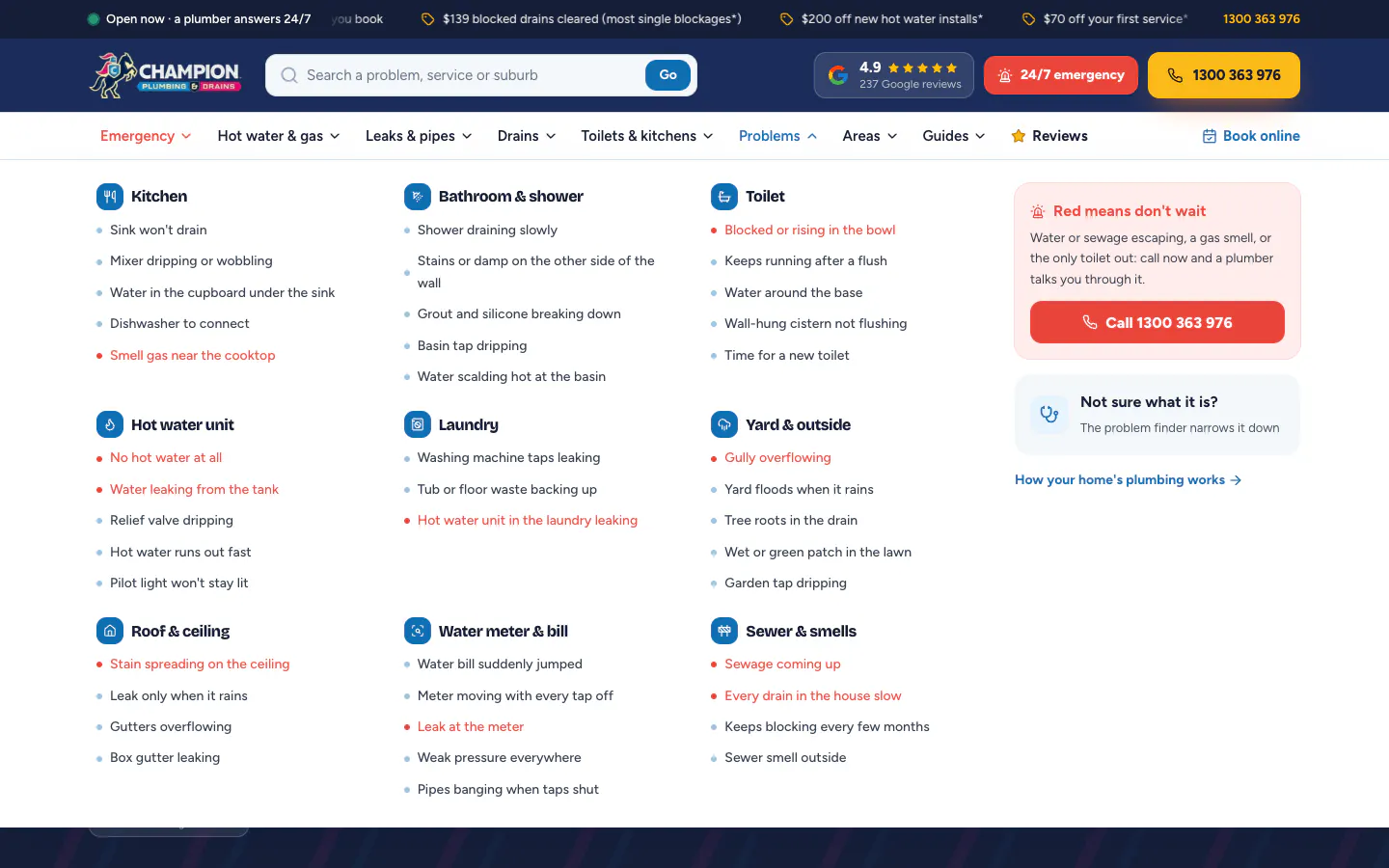
The sixth menu, Problems, starts from the room instead of the trade. It lists 41 everyday problems across nine rooms, from the kitchen and laundry to the roof, the water meter and the sewer. The ten that should not wait, such as sewage coming up or a gas smell near the cooktop, are shown in red beside a call button. Visitors who cannot name the problem are pointed to a problem finder and an interactive diagram of the plumbing in a house.
127 services in 13 categories
The services index lists all 127 services in 13 categories: 19 main service pages and 108 pages for the specific jobs beneath them. Page addresses follow the structure the ads already use, while the menus group the same pages the way a customer browses.
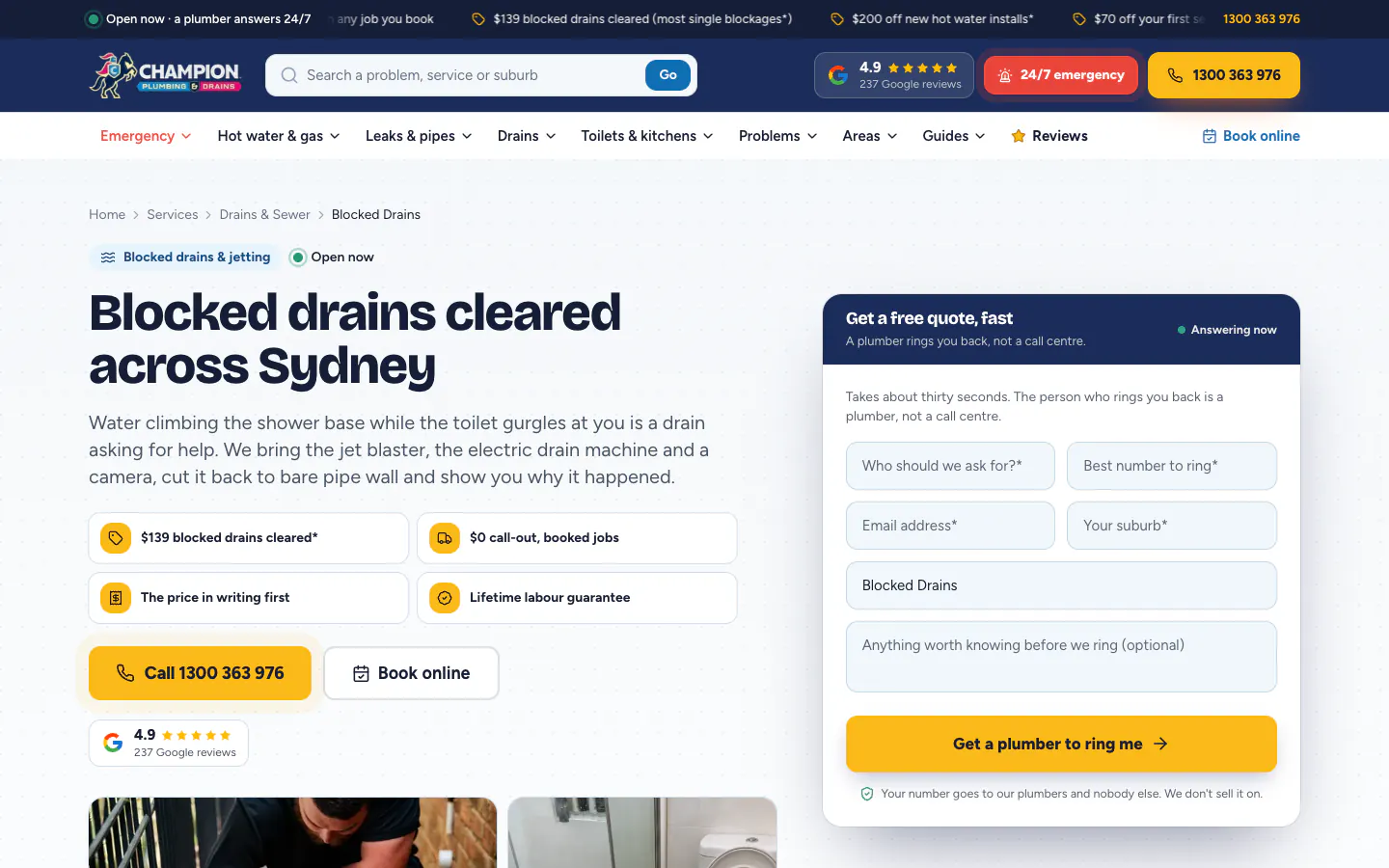
A service page opens with a breadcrumb, the service promises, call and book buttons and a quote form with the service already selected. Further down it works through the signs, the likely causes and how the job is done. Depending on the job, it also sets out the options side by side, what affects the price and what is safe to do before the plumber arrives, then answers common questions and links to related work. Where a page states a rule or a local fact, it lists the source.
A page for every suburb
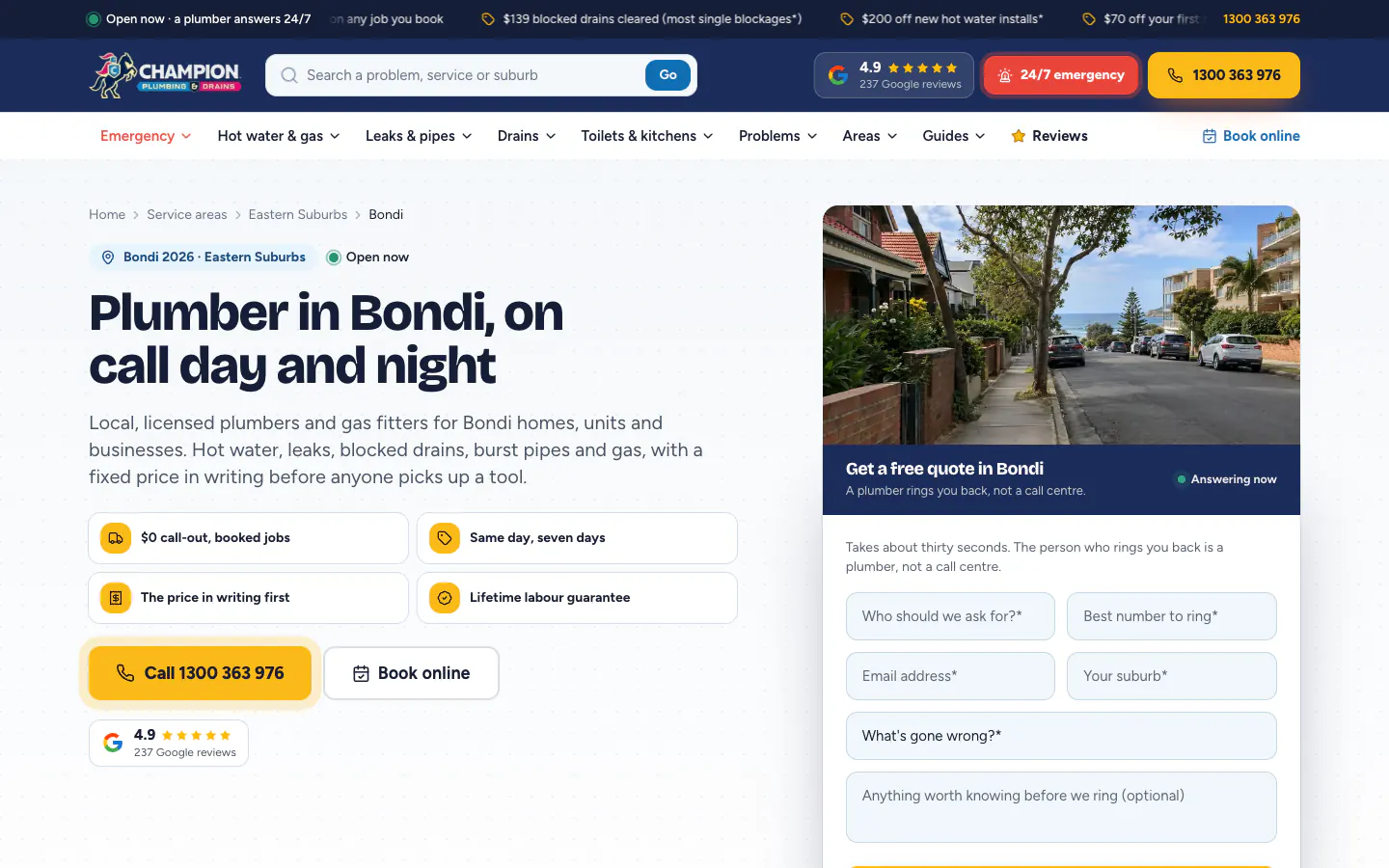
699 suburb pages sit inside 19 region pages. Each suburb page names the suburb, its postcode and its region, and puts a quote form titled for that suburb under a street photo from the area. Below that, the copy changes with the kind of homes in the suburb, a map of the region picks the suburb out, and a short panel of census figures describes the homes there. Nearby suburbs, local questions answered and a second quote form close the page.
Region pages name their suburbs and councils. The Eastern Suburbs page, for example, covers 43 suburbs across four councils and opens with its own quote form.
Tools that help before the call
Three tools help a visitor who is not sure what is wrong. The problem finder asks a few quick questions, starting with whether water is pouring out, sewage is coming up or there is a smell of gas, then gives the likely cause, what is safe to do and the right page to read. It says plainly that it never replaces a plumber's diagnosis.
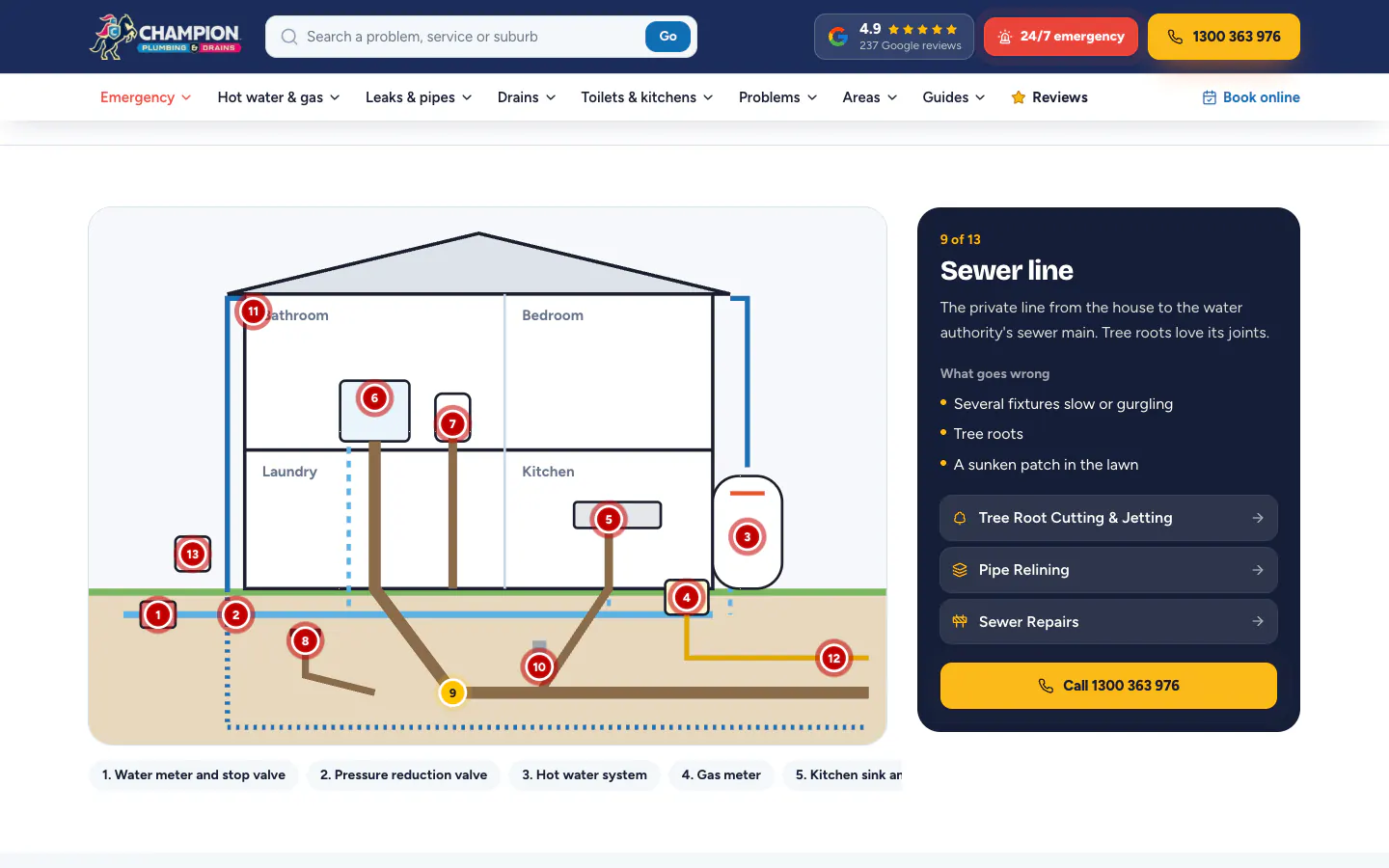
The plumbing diagram draws a house with 13 numbered parts, from the water meter to the sewer line. Pick one and the panel explains what the part is, what goes wrong with it and which services fix it. On the home page, a colour-coded map of Sydney's regions takes a suburb or postcode search and shows how many suburbs each region covers.
41 guides in plain English
The guides answer the questions people ask before they call, such as the warning signs of a blocked drain. Each opens with its category, a reading time, a job photo and a box of key takeaways, with a panel beside it for anyone who would rather have a plumber look.
Proof in plain view
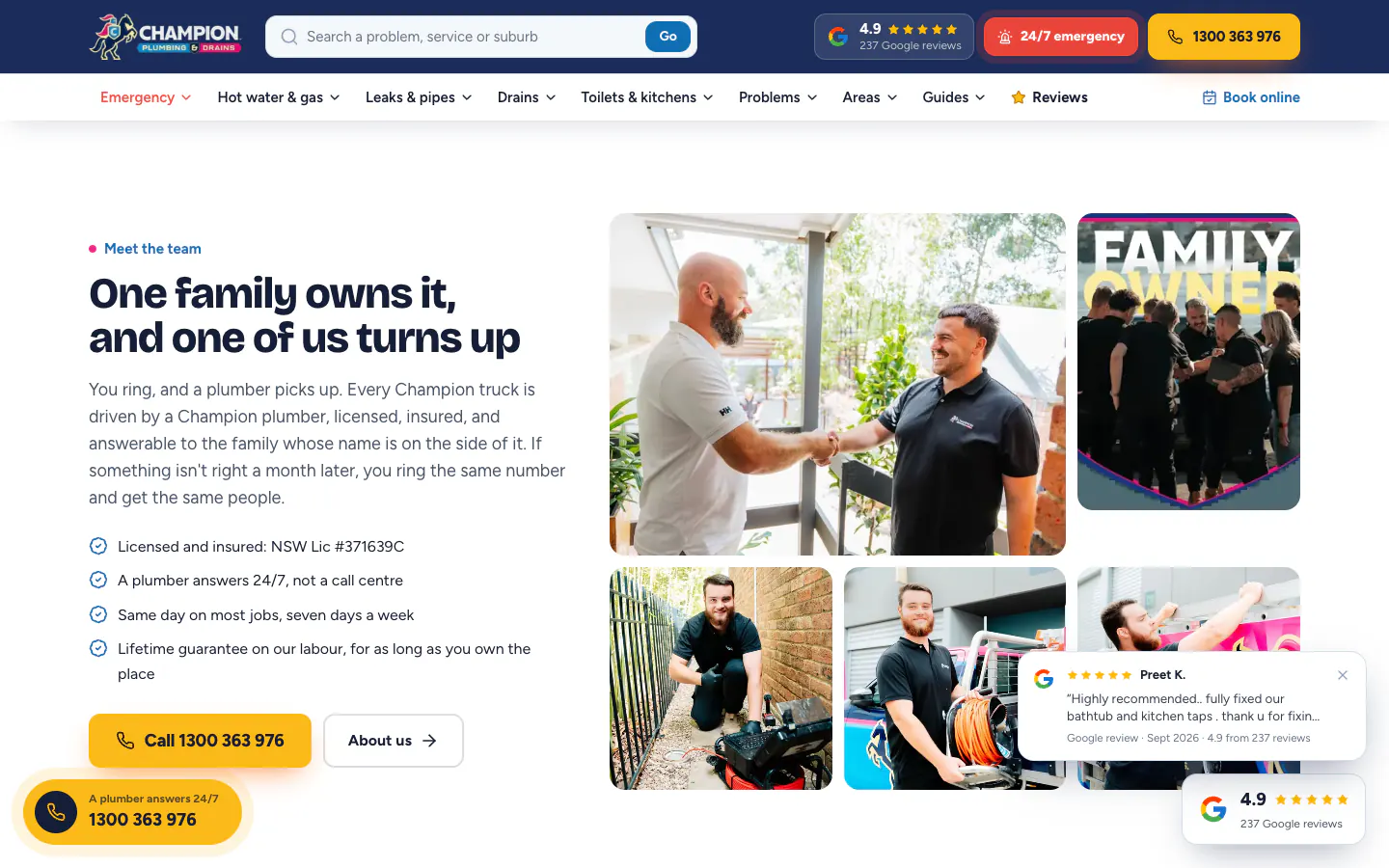
The Google rating sits in the header, in the opening section and on a floating button that follows the visitor down every page. Tap it and a panel opens with the rating breakdown, links to the Google profile and to every review, critical ones included, and recent reviews shown as written with names shortened. Short review pop-ups appear as the visitor scrolls.
On desktop, part way down a page, a plumbing emergency prompt gives the first safety steps, such as turning the water off at the meter or getting everyone outside if there is gas, with a call button and a link to what to do while waiting. The home page also carries short on-site video clips of the crew, a team photo grid and a four-step explanation of how a job runs, from the call to a signed-off job.
Built for phones
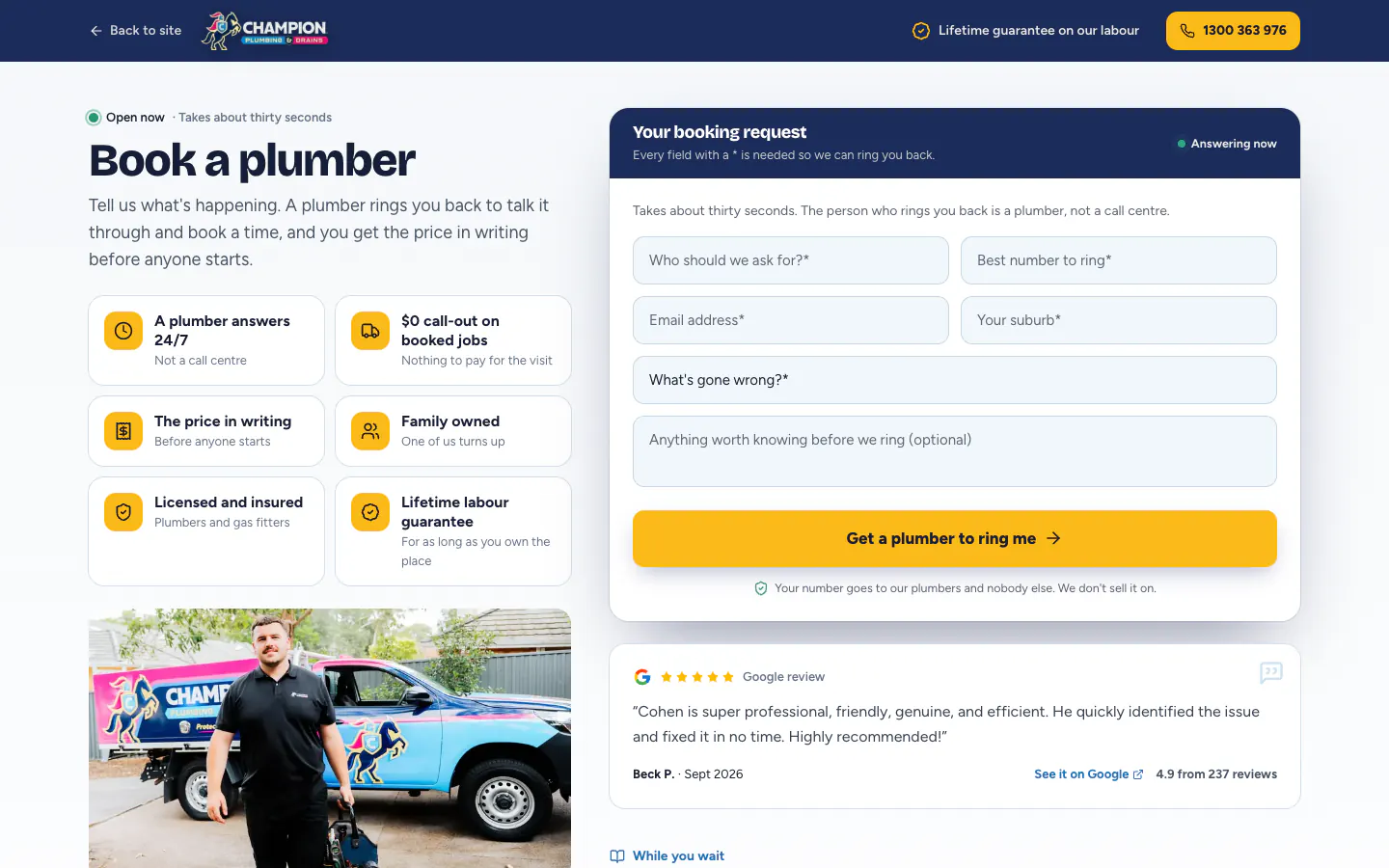
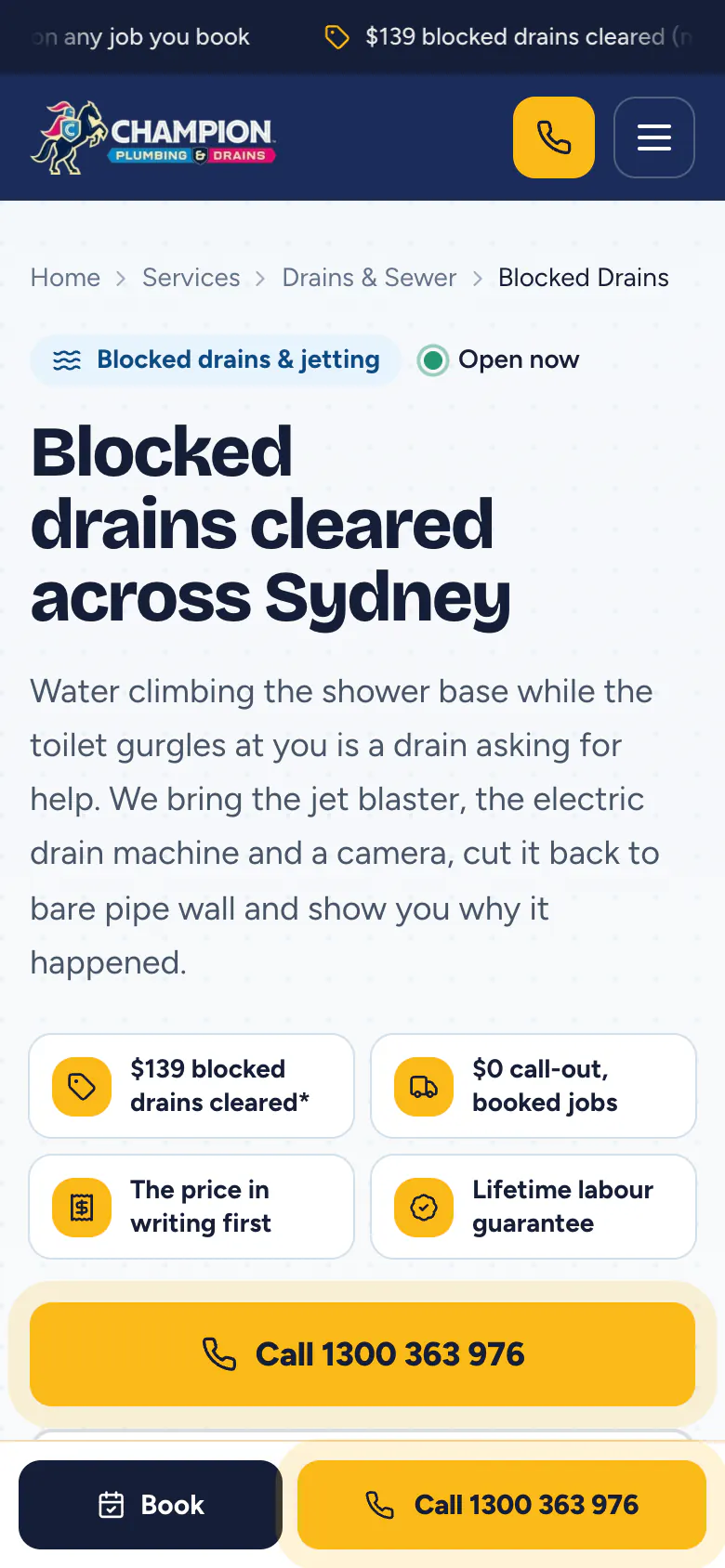
On a phone, the header shrinks to the logo, a call icon and the menu, and a Book and Call bar stays fixed to the bottom of every page. Call is a tap-to-call number on the thumb side. From a service page, Book carries that service into the booking request, so the plumber who rings back already knows the job.
Service pages add a full-width Call button in the page itself, above the fixed bar, so the first screen of the blocked drains page offers two ways to ring and one way to book. The callback form asks for a name, a number, an email, the suburb and what has gone wrong, and says that a plumber, not a call centre, rings back.
What it connects to
The site is where Champion's Google Ads land. Service ads point to the matching service page, with that job already selected in the form, and local ads point to area pages. Calls and forms from the site are traced to the ad they came from and matched to the jobs the client marks as won, so the advertising is judged on won work, not clicks.
Over the last 30 days, Google Ads returned 5.4× its cost in won work, up 90% on the 30 days before, and still up 70% with the two biggest jobs taken out of both periods. The Champion Plumbing campaign case study sets out how that was measured. Champion Drains, the drain-specialist sister brand, has its own site, covered in the Champion Drains website case study.
For a plumbing business that needs a site at this depth, see our website design services and marketing for plumbing businesses.