Plumbwell Plumbing: a 526-page landing site for its Google Ads
We built the 526-page site that Plumbwell Plumbing's Google Ads send people to: 19 service pages that open into 76 job pages, 12 region pages and 410 suburb pages. Service, job, region and suburb pages all put the call button and a three-question callback form in the same place, and on a phone there are two ways to call before the first scroll.
Services
Website design and build · Google Ads landing pages · Service, job and suburb page structure · Mobile design
Each figure names the window it covers. Use the info button on a tile to see how it was measured.
Headline result
526
Pages on the landing site: services, jobs, regions and suburbs
Live sitemap count
How it was measured
Unique pages listed in the site's live sitemap.
410
Suburb pages, each naming the suburbs either side
Live sitemap count
How it was measured
Pages in the suburb section of the live sitemap.
95
Service pages: 19 services and 76 job pages
Live sitemap count
How it was measured
Service pages and the job pages beneath them in the live sitemap.
12
Region pages, from the Inner West across greater Sydney
Live sitemap count
How it was measured
Region pages in the live sitemap, matching the 12 regions on the Service Areas page.
How we measured +
Page counts are the unique pages listed in the site's live sitemap: 19 service pages, 76 job pages, 12 region pages, 410 suburb pages, a service areas page, a reviews page, the home page and six booking and information pages. Shares are rounded to whole numbers. The site is the landing site for Plumbwell's Google Ads and is kept out of search results on purpose. The Google Ads results are reported separately, in the Plumbwell Plumbing Google Ads case study, with their own windows and definitions.
In one minute
The 60-second version
Plumbwell Plumbing, from the brief to the result in 5 short slides.
01 The business
A Marrickville plumber for the Inner West and greater Sydney
Plumbwell Plumbing handles drains, hot water, gas, leaks and bathrooms. The owner answers the phone, there is no call-out fee, and the price is in writing before work starts.
02 The brief
A page for every ad to send people to
The Google Ads are split by job and by place. Each ad group and the suburb campaign needed a page that answers the search, with the same terms and contact options on every page.
03 What we built
526 pages: services, jobs, regions and suburbs
19 service pages that open into 76 job pages, 12 region pages and 410 suburb pages, with a problem finder, the crew's own photos and a callback form that asks three things.
526pages in the live sitemap
04 Built for phones
Two ways to call before the first scroll
A Call button in the header and a full-width call button under the headline, then offer tiles with the no-call-out-fee promise, a first-job discount and 24/7 service.
05 What it connects to
The site the Google Ads send people to
Service ad groups land on the matching service page, and the suburb and region pages cover the places the suburb campaign targets. The results are in the Google Ads case study.
01 / 05
Insights
What the data showed
What Plumbwell Plumbing’s own records showed once the work was live. Open a card for the full finding and how it was measured.
The build01
78%
Nearly four in five pages are suburb pages: 410 of the 526.
Suburb pages78%
Service and job pages18%
Region pages2%
Home, booking and other pages2%
The ads are split by place and by job, so the site has a page for both. 410 suburb pages and 12 region pages cover the places; 95 service and job pages cover the work. The rest are the home page, the booking, reviews and service areas pages, and the information pages.
How it was measured. Pages of each type as a share of the 526 unique pages in the live sitemap. Rounded to whole numbers.
The build02
76
19 services open into 76 job pages, so a common job has a page of its own.
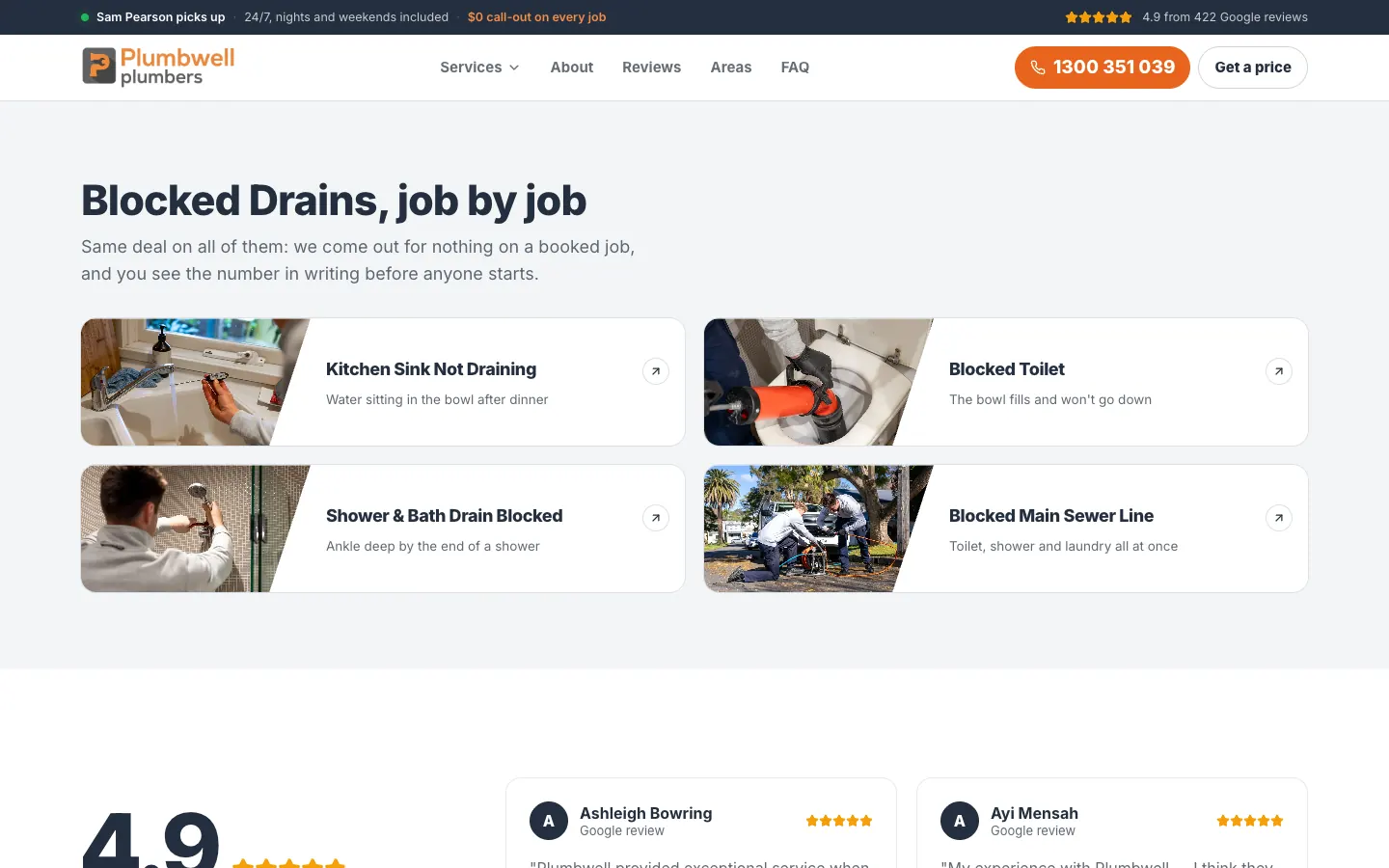
Hover a service in the menu and its jobs appear beside a photo. Blocked drains, for example, opens into a kitchen sink not draining, a blocked toilet, a blocked shower and bath drain, and a blocked main sewer line. Each service page links to the same jobs further down.
How it was measured. Job pages counted from the live sitemap; the menu and the service pages checked on the live site.
The build03
410
Each suburb page names the suburbs either side and repeats the same terms.
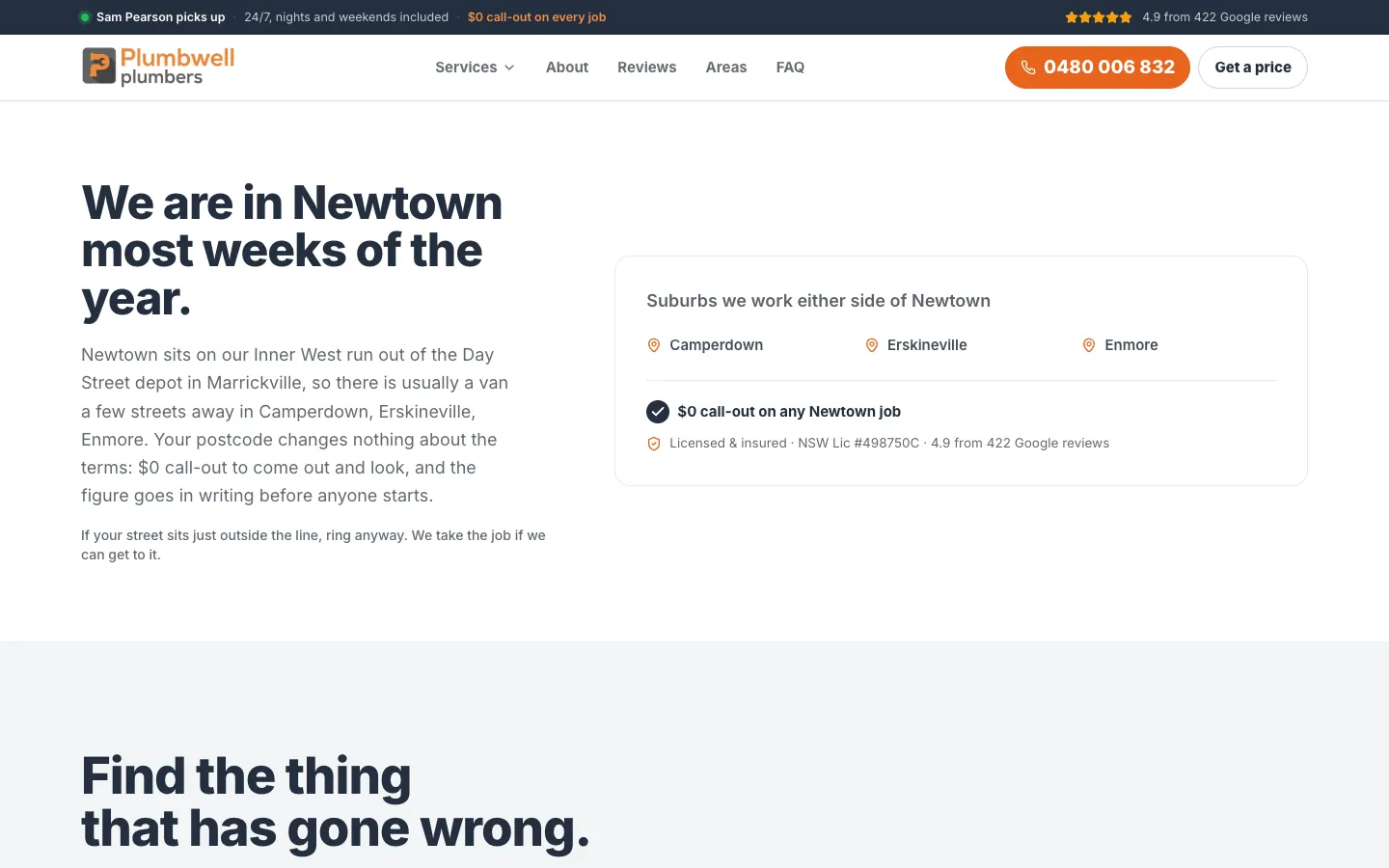
The Newtown page, for example, says the crew is in Newtown most weeks of the year, names Camperdown, Erskineville and Enmore beside it, and repeats the no-call-out-fee terms. A visitor from the next suburb over can see the deal is the same.
How it was measured. Suburb page count from the live sitemap; the page layout checked on suburb pages on the live site.
The build04
2
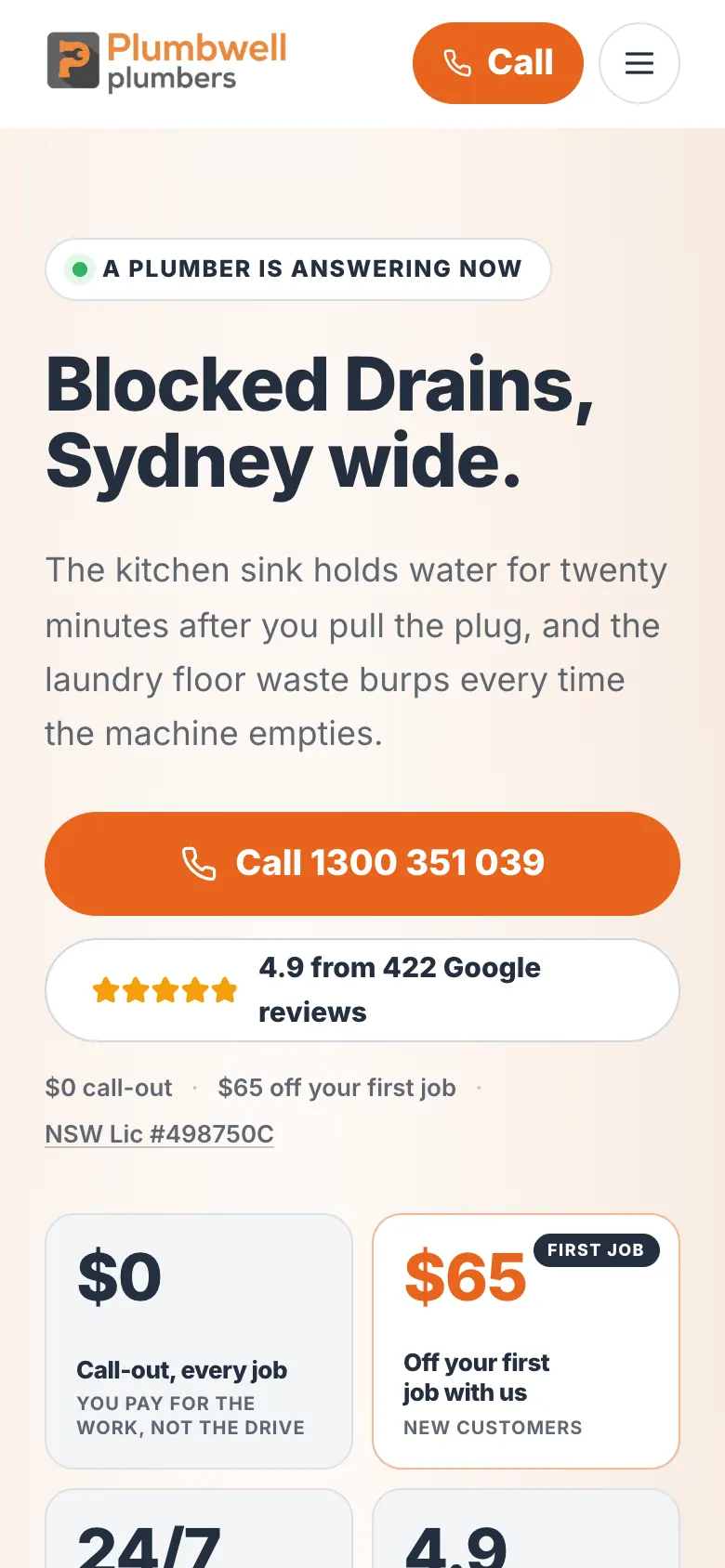
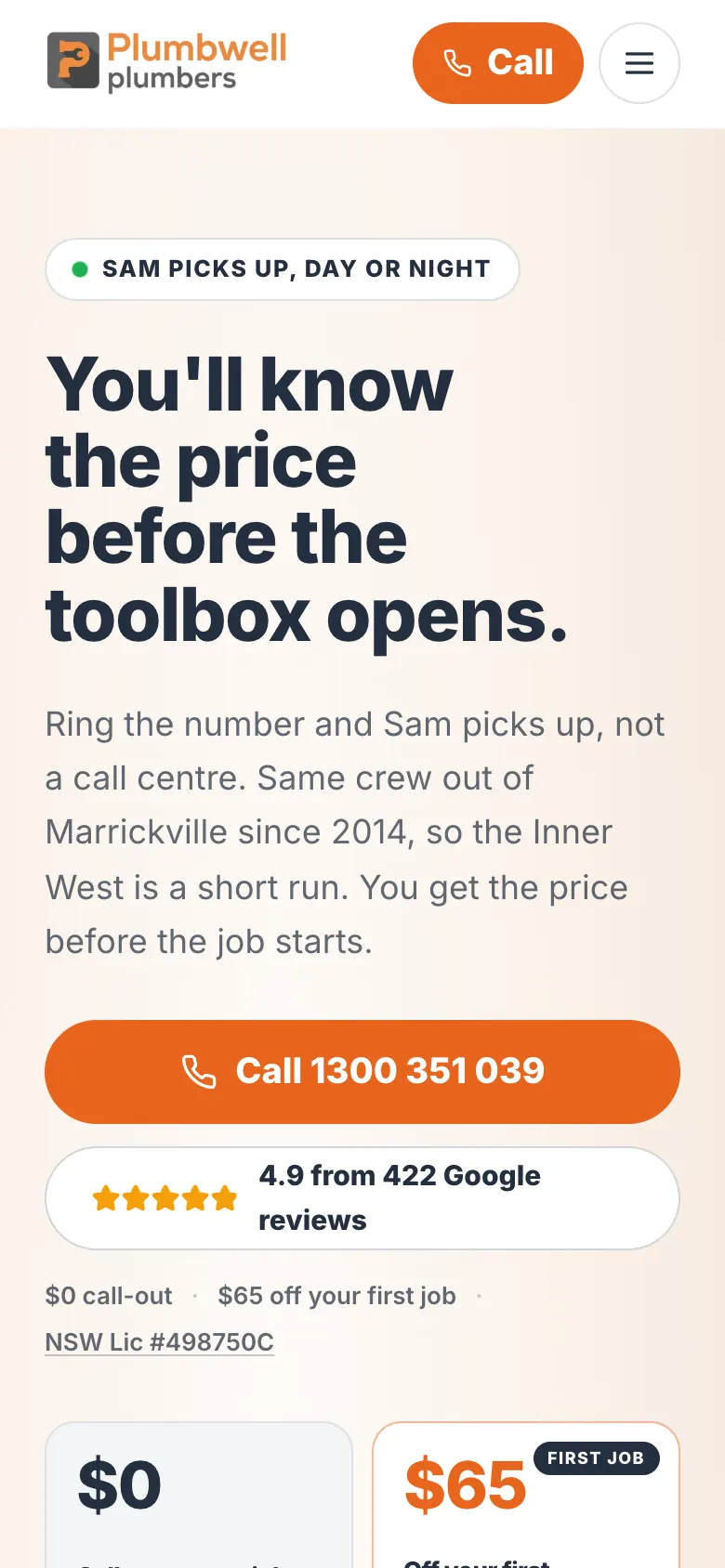
On a phone, there are two ways to call before the first scroll.
The header carries a Call button beside the menu, and a full-width call button sits under the headline. Offer tiles follow with the no-call-out-fee promise, a first-job discount, the 24/7 service and the Google rating.
How it was measured. Checked on the home and Blocked Drains pages at phone width.
Campaign work · Plumbwell Plumbing
The campaign behind the enquiries.
See the advertising work for Plumbwell Plumbing, with the results and measurement explained in each campaign case study.
Campaign case study
Plumbwell Plumbing: 5.5× return on Google Ads in the first fortnight
Plumbwell Plumbing's first 14 days of Google Ads returned 5.5 times the ad spend in won work. Over three weeks, about 1 in 3 ad enquiries became a won job.
The real pages on desktop and phone. Select any screenshot to see it full size.
Plumbwell Plumbing — desktop
The home page, top to bottom
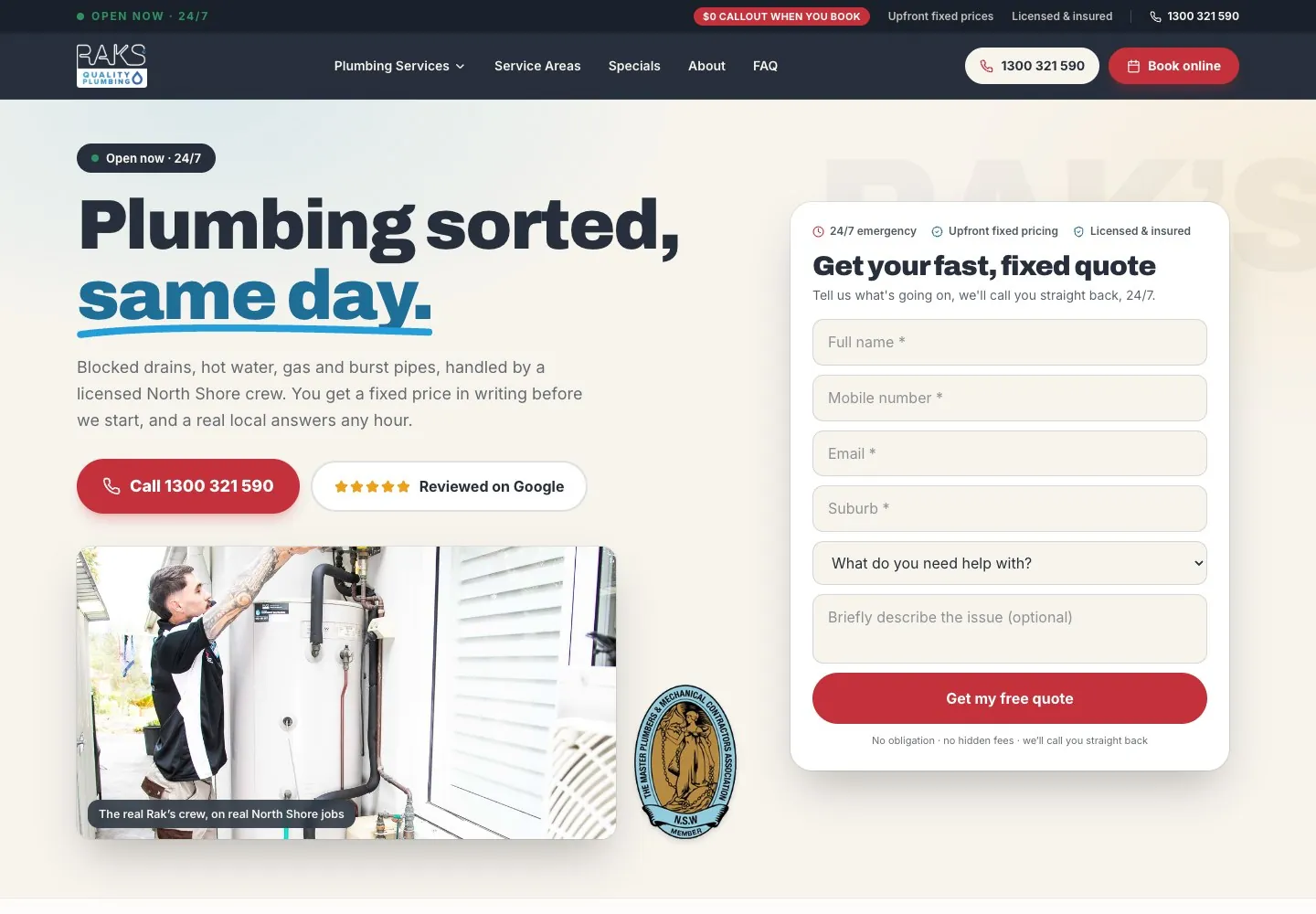
Plumbwell Plumbing — home page
The whole home page, top to bottom. Click or tap the frame to scroll it yourself.
The details that matter, 1 of 2
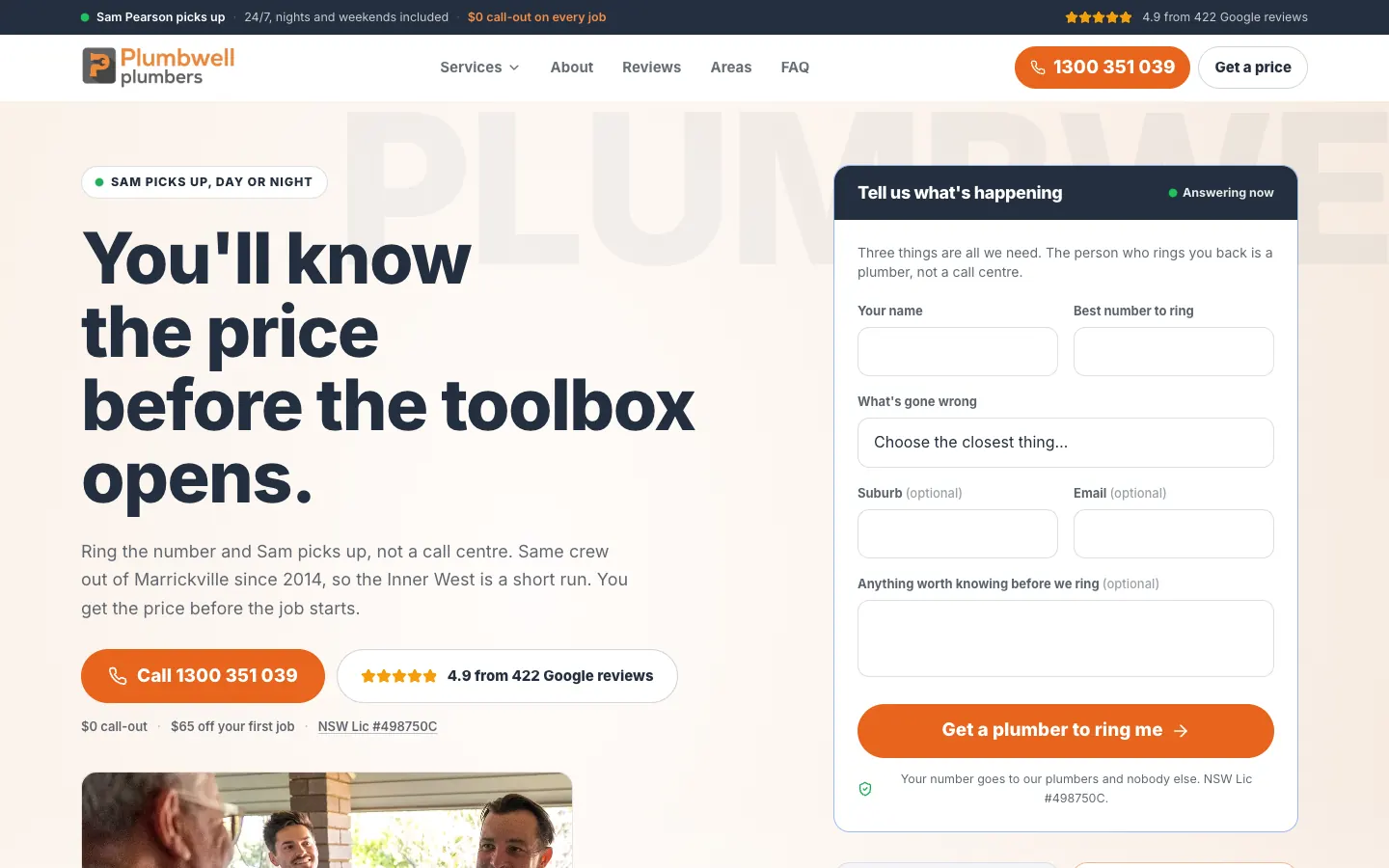
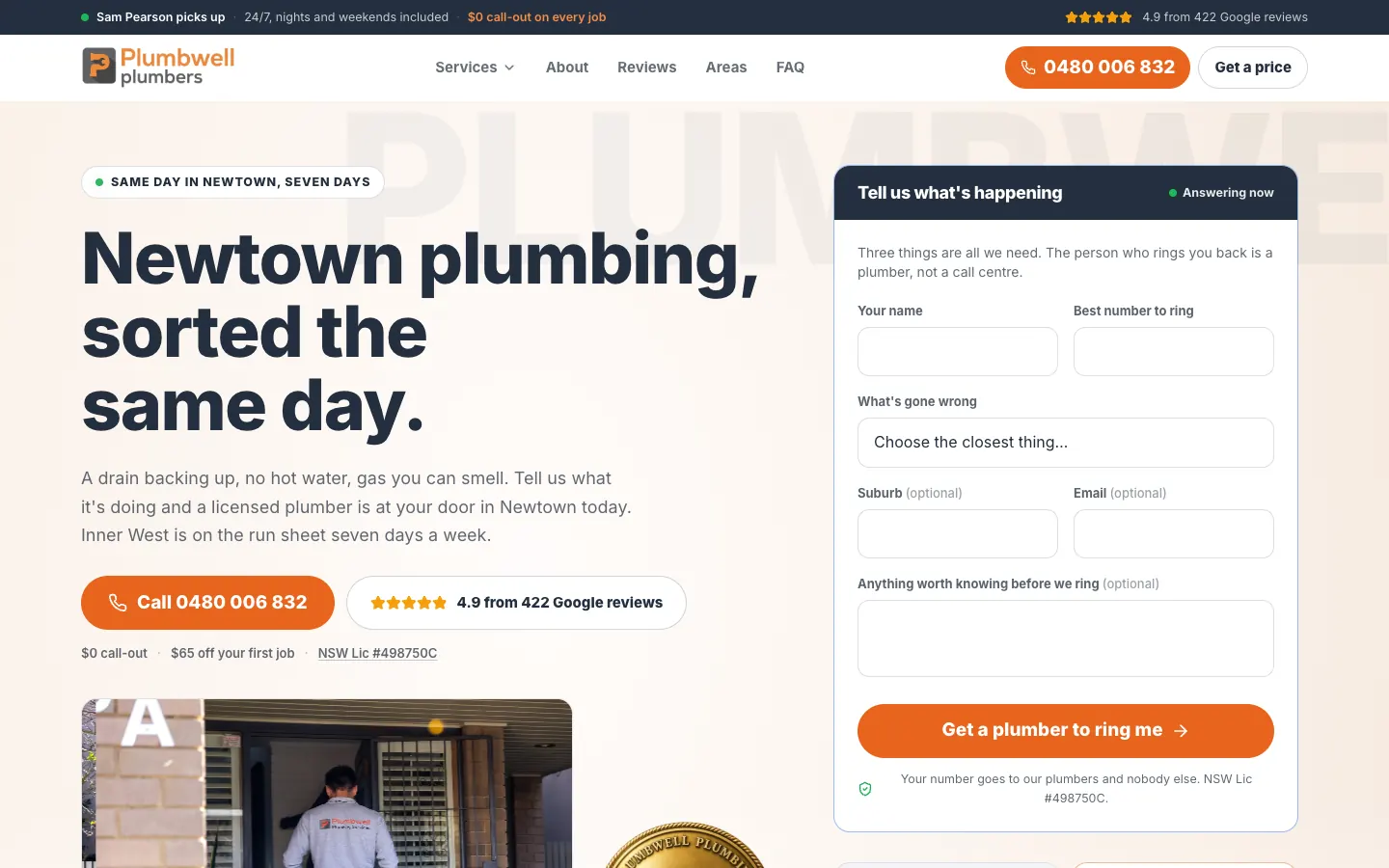
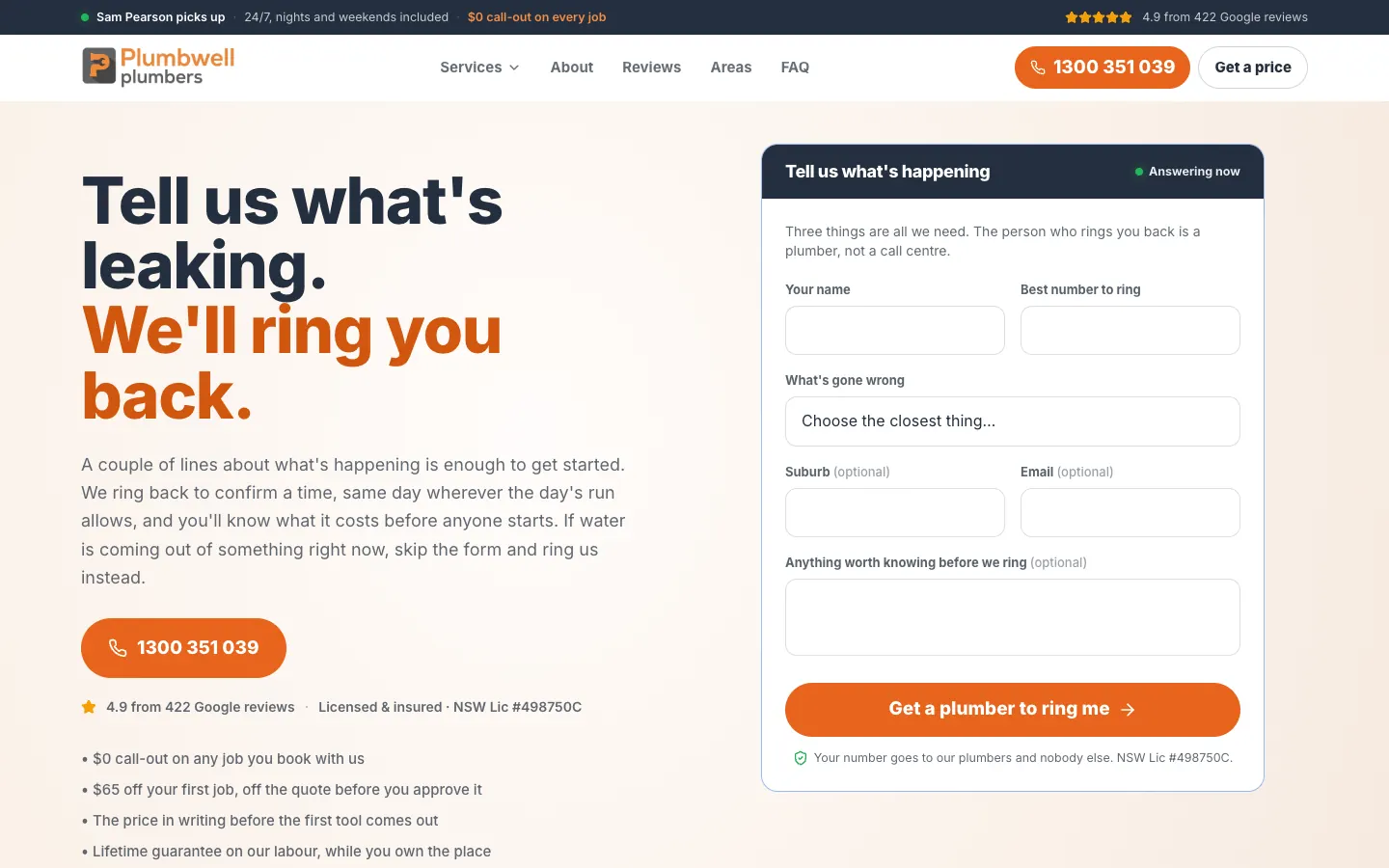
1Who answers, and when A bar across the top says the owner picks up, 24/7 including nights and weekends, with no call-out fee.
2The call button A tap-to-call number sits under the price promise, the first thing to press.
3Google rating The rating sits beside the call button, where someone deciding whether to ring will see it.
4A callback form that asks three things Name, best number and what has gone wrong. Suburb, email and notes are optional.
5Ask for a call back One button asks a plumber to ring back, for anyone who would rather not call.
The details that matter, 2 of 2
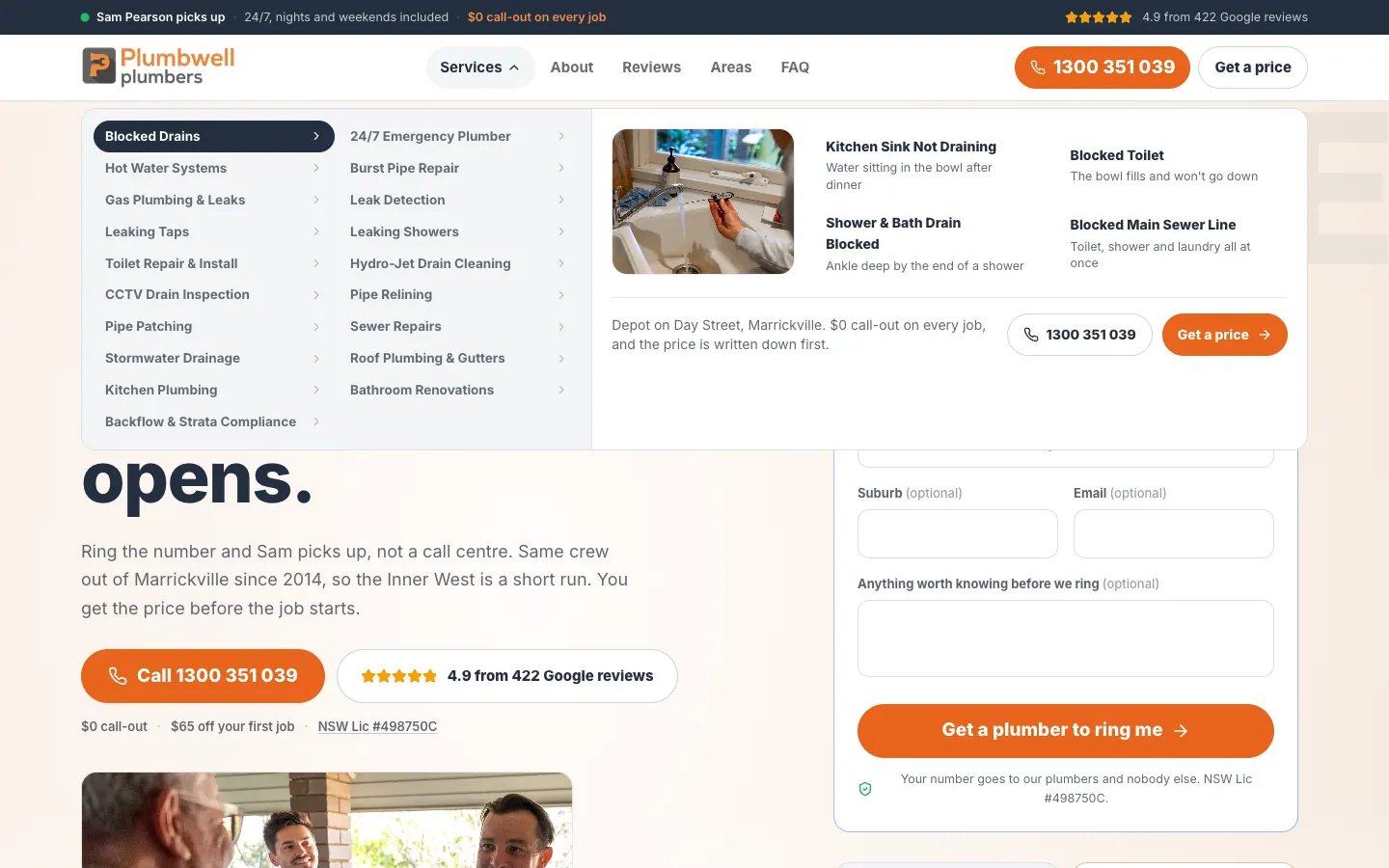
119 services Every service in two columns, from blocked drains to backflow and strata compliance.
2A photo for each service The highlighted service shows a job photo beside its job pages.
3Job pages Blocked drains opens into four jobs: the kitchen sink, a blocked toilet, the shower and bath, and the main sewer line.
4The terms, in the menu The depot location and the no-call-out-fee promise sit at the foot of the panel.
5Call or get a price The panel ends with a call button and a get-a-price button.
Website showcase
A closer look at the website.
Explore Plumbwell Plumbing’s website, from the first impression to the details.
Use the left and right arrow keys to browse screenshots. Home goes to the first screenshot and End goes to the last.
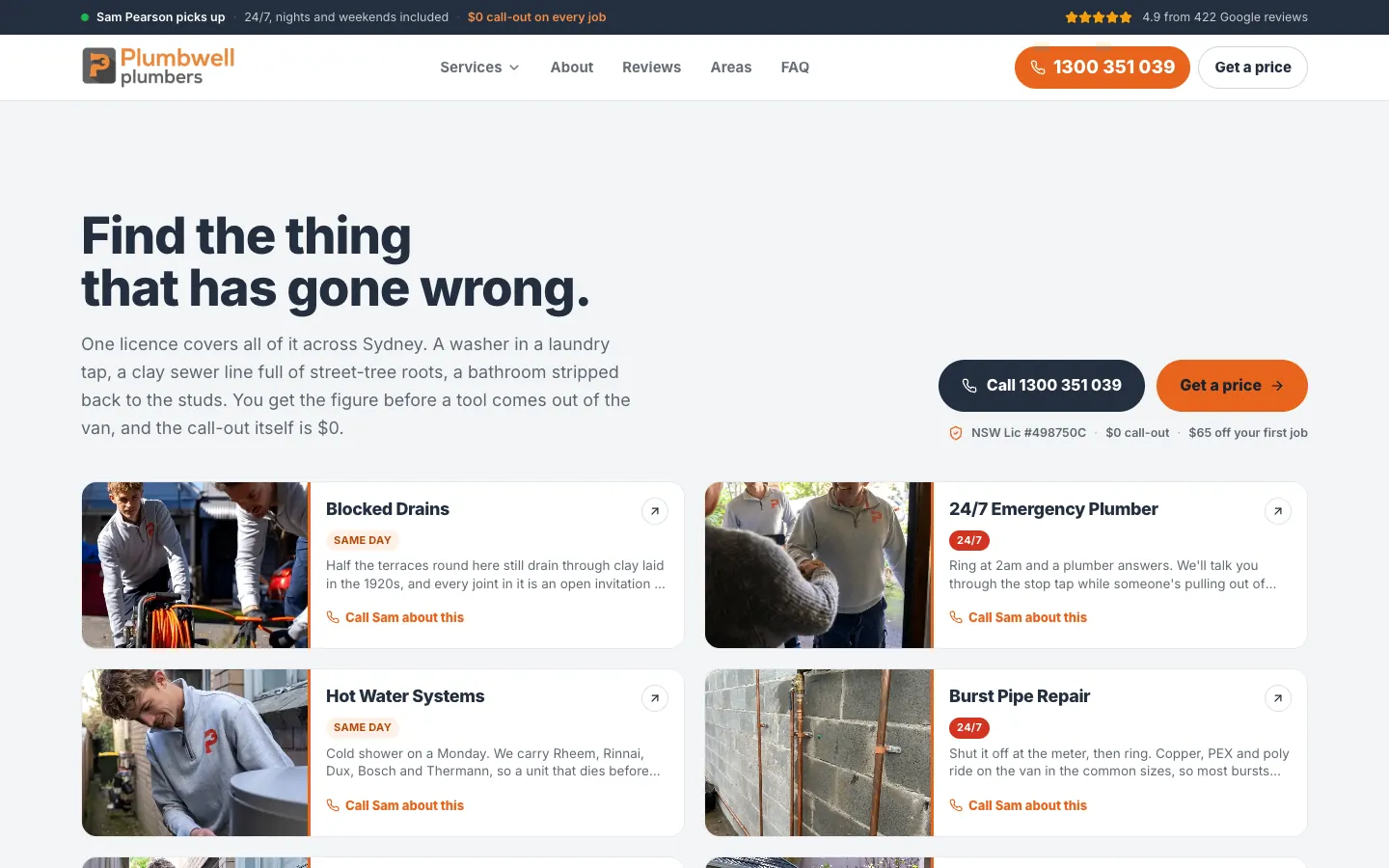
Start from the problem — The home page shows each service as a card with a photo, a same-day or 24/7 tag, a short note and a call link.
01 / 09 · Start from the problem — The home page shows each service as a card with a photo, a same-day or 24/7 tag, a short note and a call link.
Inside the website
The thinking behind the pages.
01 · Website detail
The price promise up front
The headline says you will know the price before the toolbox opens. The call button and the Google rating sit under it, and the callback form sits beside it.
The home page asks visitors to find the thing that has gone wrong. Each service is a card with a photo, a same-day or 24/7 tag, a short note and a call link.
Each service page links to its job pages, 76 in all, so a common job such as a blocked toilet or a kitchen sink that will not drain has a page of its own.
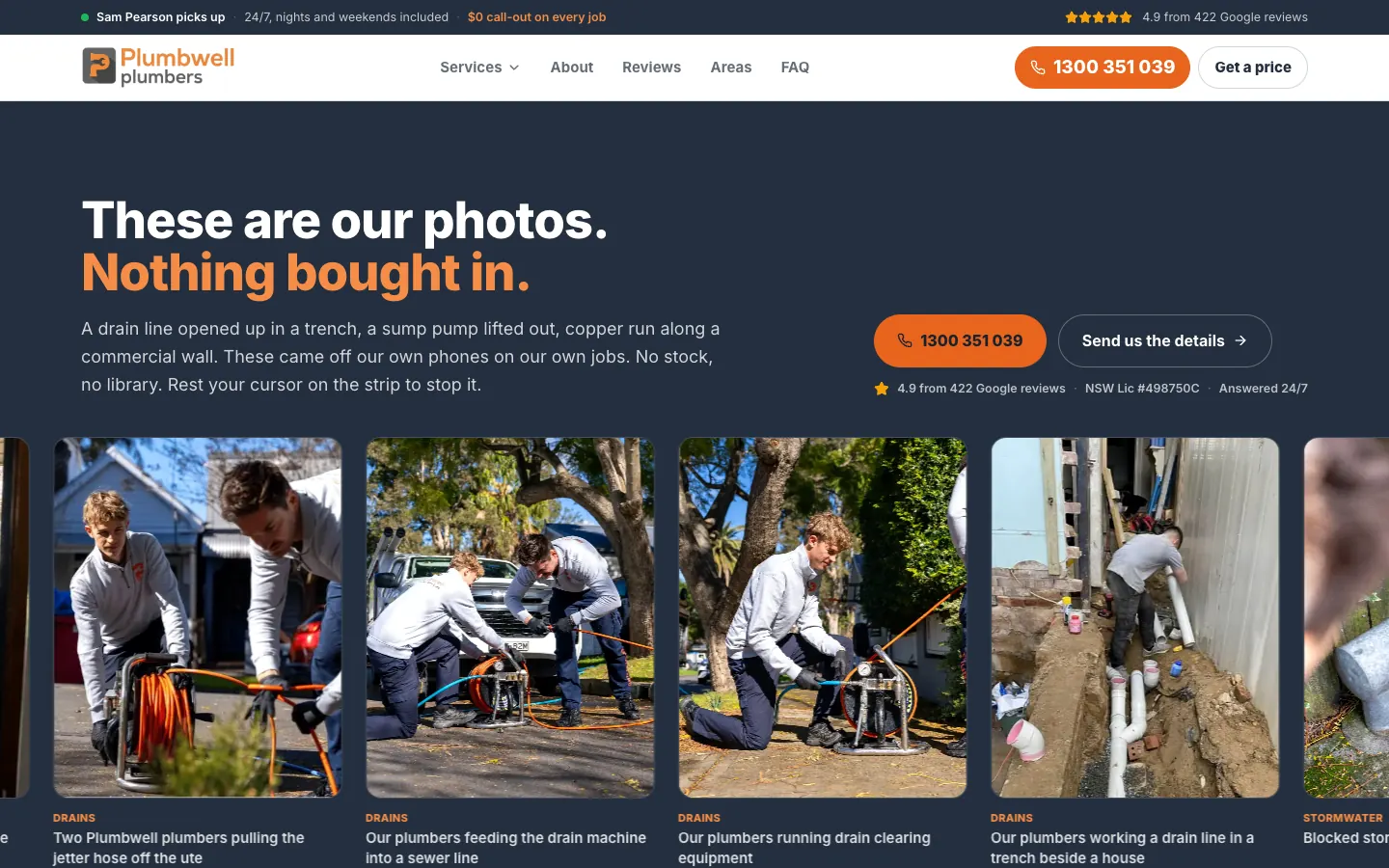
A scrolling strip of the crew's own job photos, each captioned with the job, sits on the home page. Further down, an intro video introduces the owner and the crew.
A Call button in the header and a full-width call button under the headline, followed by offer tiles for the no-call-out-fee promise, a first-job discount, 24/7 service and the Google rating.
Plumbwell Plumbing is a Marrickville-based plumbing business working across the Inner West and greater Sydney, with no call-out fee and the price in writing before work starts.
Plumbing · Sydney, NSW
SoudCoh services
Website design and build
Google Ads landing pages
Service, job and suburb page structure
Mobile design
What we put in place
The website experience
526 pages: 19 service pages, 76 job pages, 12 region pages and 410 suburb pages.
A Services menu that opens each service into its job pages.
A home-page problem finder, a strip of the crew's own job photos and an intro video.
A callback form that asks three things, on the home, service, job, region, suburb and booking pages.
Two call buttons above the fold on phones.
Website experience
The price promise up front — The headline says you will know the price before the toolbox opens, with the call button, the Google rating and a callback form beside it.Explore the website screenshots
What the project delivered
The outcome
The service ad groups and the suburb campaign each have pages to send people to, with the call button and the callback form in the same place on every one.
We built the 526-page site that Plumbwell Plumbing's Google Ads send people to: 19 service pages, 76 job pages, 12 region pages and 410 suburb pages, each with the call button and a callback form in the same place. Every page is written for someone who has just clicked an ad about a job or a place.
526
published pages
410
suburb pages
95
service and job pages
12
region pages
The business
Plumbwell Plumbing is a plumbing business based in Marrickville, working across the Inner West and greater Sydney. Its plumbers handle blocked drains, hot water, gas, leaks, bathrooms, and strata and commercial work, all under one licence that covers water and gas.
It is a crew of five, and the phone is answered by the owner or one of the crew, not a call centre. The business leads with two promises: no call-out fee, and the price in writing before anyone opens a toolbox.
The brief
This site exists for Plumbwell's Google Ads. The ads are split by job and by place: service ad groups for work such as hot water, gas, showers, toilets and gutters, and a campaign for suburbs and regions across Sydney. Each needed a page that answers the search that brought someone there, with the same terms and the same ways to get in touch on every page.
Because its job is to answer the ad, the site is kept out of search results on purpose. This study is about what a person sees in the seconds after they click.
What we built
19 services, 76 job pages
The Services menu lists 19 services in two columns. Hover one and its job pages appear beside a photo: for blocked drains, a kitchen sink not draining, a blocked toilet, a blocked shower and bath drain, and a blocked main sewer line. Each service page links to the same jobs further down, so the 19 service pages open into 76 job pages, and a common job has a page of its own.
Hover a service and its job pages appear beside a photo, with call and get-a-price buttons.
A home page that starts from the problem
Under the price promise, the home page asks visitors to find the thing that has gone wrong. Every service is a card with a photo, a same-day or 24/7 tag, a short note in plain words and a link to call about it. Further down, a scrolling strip shows the crew's own job photos, each captioned with the job, and an intro video introduces the owner and the crew.
Each service is a card with a photo, an urgency tag and a call link.
12 regions, 410 suburbs
The Service Areas page sets out 12 regions and 410 suburbs and asks visitors to pick the suburb they are standing in. Region pages list the suburbs they cover. Each suburb page opens with a headline naming the suburb, then names the suburbs either side of it and repeats the same terms: no call-out fee, and the price in writing before work starts. Suburb pages also link to other suburbs nearby.
Suburb pages name the suburbs either side and repeat the same terms.
A callback form that asks three things
The callback form asks for a name, the best number to ring and what has gone wrong, with suburb, email and notes optional. On service and job pages, the service is already chosen in the form. The same form sits on the home, service, job, region, suburb and booking pages.
Built for phones
On a phone there are two ways to call before the first scroll: a Call button in the header beside the menu, and a full-width call button under the headline. Offer tiles follow, setting out the no-call-out-fee promise, a first-job discount, the 24/7 service and the Google rating.
On a phone, two call buttons sit above the fold.
What it connects to
This is the site the Google Ads send people to. The service ad groups send people to the matching service page, and the region and suburb pages cover the places the suburb campaign targets. Calls and web forms from the ads are traced to the ad behind them and followed through to the job in the client's records, so the account is judged on won work.
526 pages built for the Google Ads: a page for each service, each common job, each region and each suburb the ads target.
19 service pages open into 76 job pages, so a common job has a page of its own.
Each of the 410 suburb pages names the suburbs either side and repeats the same terms.
The call button and a three-question callback form sit in the same place on every service, job, region and suburb page, with two ways to call on a phone.
Tags
Website design
Plumbing
Landing pages
A website built around your business.
Tell us about your services, your customers and the next step you want them to take. We will shape the design and page structure around that brief.
The 526-page site its Google Ads send people to: 19 service pages, 76 job pages, 12 region pages and 410 suburb pages, plus booking, reviews, about, contact and FAQ pages. Every page carries the call button, and the home, service, job, region, suburb and booking pages carry the callback form.
Why does a landing site need 526 pages?
Because the ads are split by job and by place. A page for each service, each common job, each region and each suburb means an ad can send someone to a page about what they searched for, rather than to a general home page.
How are the services organised?
19 services, each opening into its own job pages, 76 in total. Blocked drains, for example, opens into a kitchen sink not draining, a blocked toilet, a blocked shower and bath drain, and a blocked main sewer line. The menu shows the jobs beside a photo when a service is highlighted.
How do the suburb pages work?
The Service Areas page sets out 12 regions and 410 suburbs. Each suburb page opens with a headline naming the suburb, the call button and the callback form, then names the suburbs either side and repeats the same terms. Suburb pages also link to other suburbs nearby.
Why is the site kept out of search results?
Its job is to receive clicks from Plumbwell's Google Ads, so it is set up for that alone. The results of the ads it serves are in the Plumbwell Plumbing Google Ads case study.
— 09 · Read next
More work for plumbing businesses.
Explore the campaigns, websites and customer journeys we have built for more businesses in this industry.
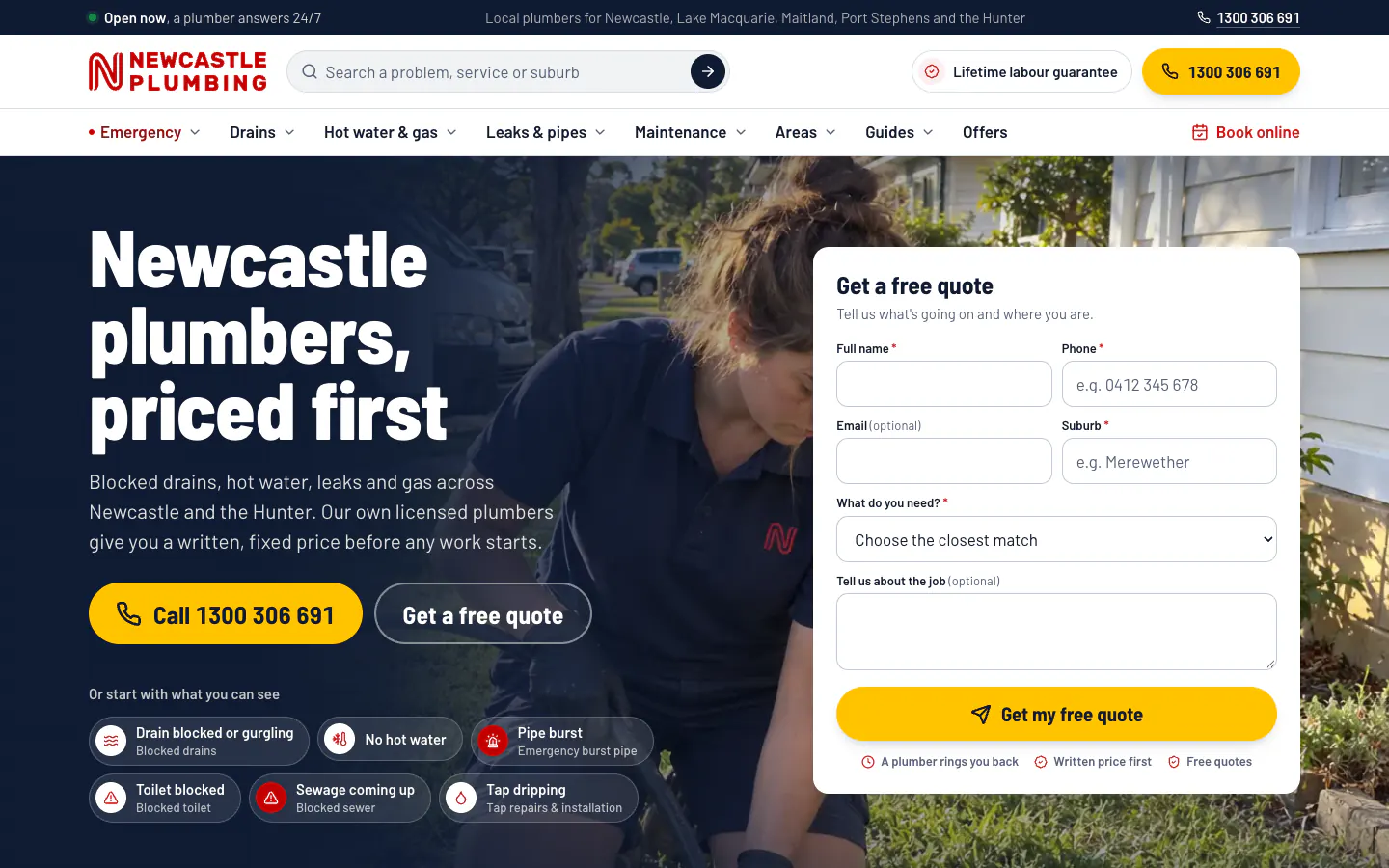
1/4 · A home page that leads with the price promise
Website development
Newcastle Plumbing
PlumbingWebsite design
Newcastle and the Hunter, NSW
449
pages in one plumbing website: services, suburbs, regions and guides
Live sitemap count
We built Newcastle Plumbing a 449-page website for the Hunter: 92 service pages, 280 suburb pages on real maps, 50 guides and online booking.
Newcastle Plumbing is a local plumbing business with its own licensed plumbers, covering Newcastle, Lake Macquarie, Maitland, Port Stephens, the Hunter Valley and the northern Central Coast.
Delivered: 92 service pages in five groups, each with a step-by-step job story. 280 suburb pages with boundary maps, in six regions.
Outcome: Whatever the plumbing problem and wherever the home in the Hunter, there is a page that explains it and a clear way to call or book.