Boutique Home Centre · Retail & e-commerce — tiles, flooring and bathware · Melbourne, Australia
Boutique Home Centre: a Shopify store with tile comparison and room previews
We built 3,592 product pages under 86 collections, with search and five header menus. We also added product pages with the code, the unit, box coverage and a five-product comparison.
We built 3,592 product pages under 86 collections, with search and five header menus. We also added product pages with the code, the unit, box coverage and a five-product comparison.
The business
Boutique Home Centre is a Melbourne home-improvement retailer selling tiles, hybrid and timber flooring, carpets, bathroom products and tapware to homeowners, builders and designers. Customers can buy online, collect in person or ask for freight on heavy and bulky orders.
The brief
The business wanted its catalogue moved into a better organised Shopify store. Many products had thin or missing descriptions, and the details a tile buyer needs, such as size, finish, material and the area one box covers, were not always in a consistent place.
A tile or flooring order depends on measurements, so the store had to help customers work out what to buy, compare similar products and plan delivery, not only browse. With thousands of products, every improvement had to work across the whole range and keep working as products change.
Routes into a large catalogue
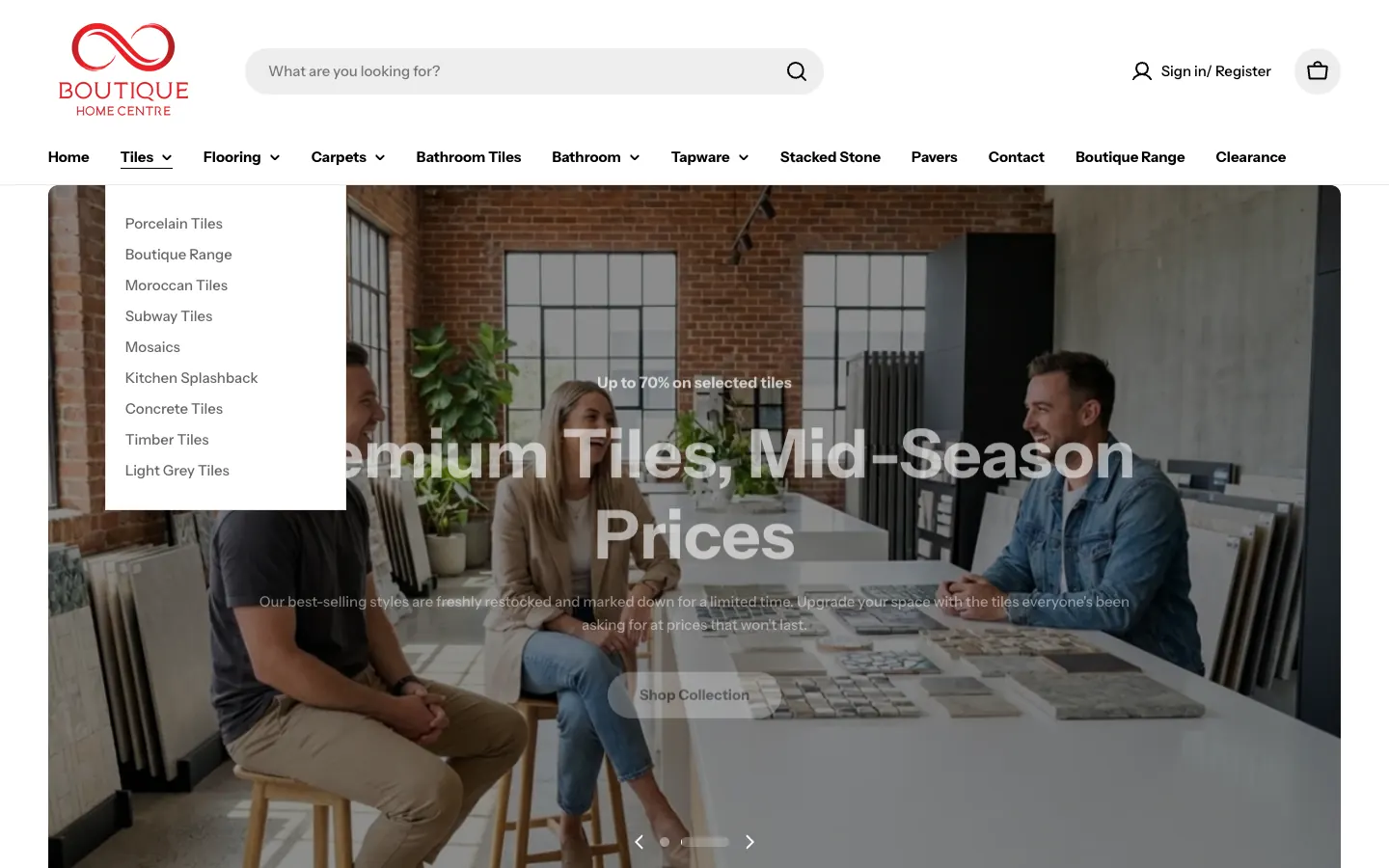
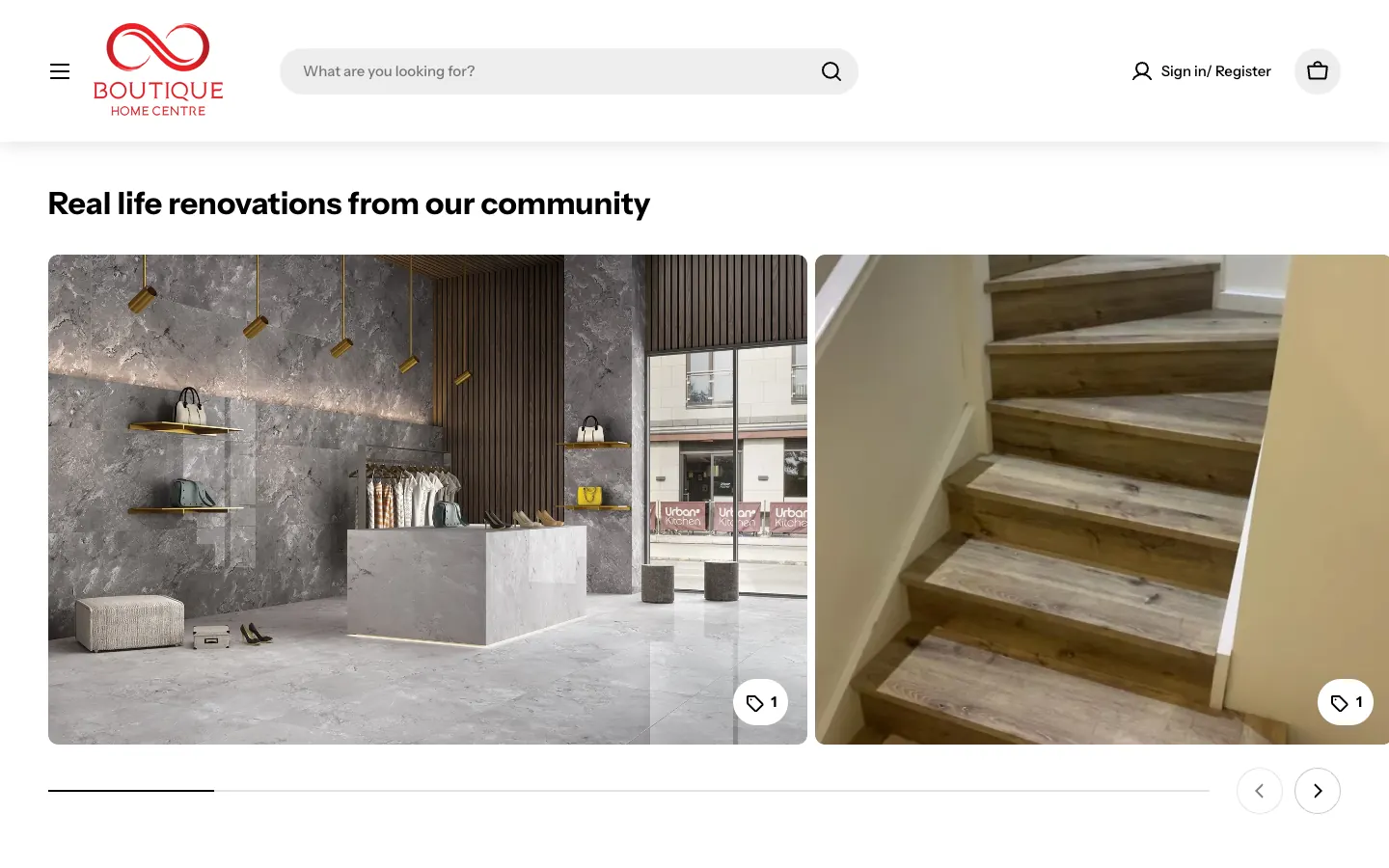
The live sitemaps list 3,592 product pages and 86 collections. A search box sits at the top of every page. The header carries twelve links, five of them menus: Tiles opens on nine collections from porcelain and Moroccan tiles to mosaics and timber-look tiles, Flooring on four, Carpets on five, Bathroom on nine and Tapware on two. The home page adds shop-by-category tiles, best sellers and a Real life renovations carousel with the products used tagged on each photo.
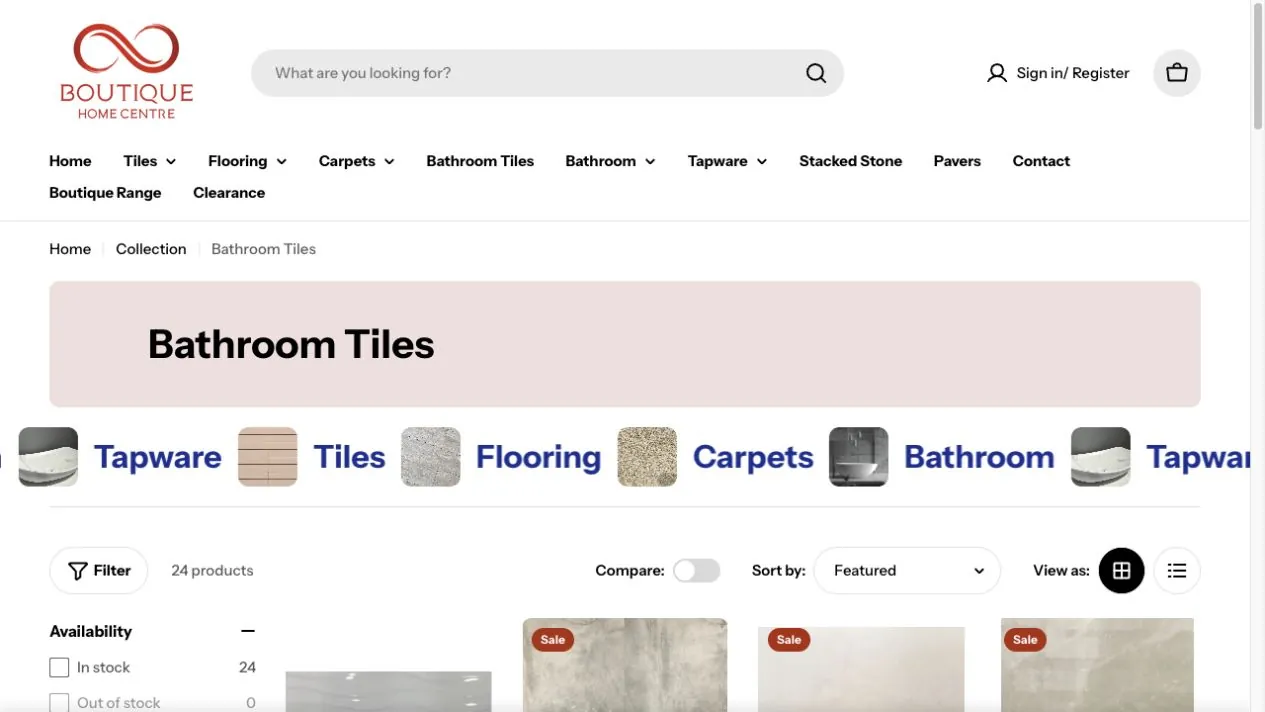
Collection pages show the number of products, filters for availability and price, a sort control, a grid or list view and a Compare switch, so a customer can narrow a range of bathroom tiles before opening a single product.
Product pages that answer the order questions
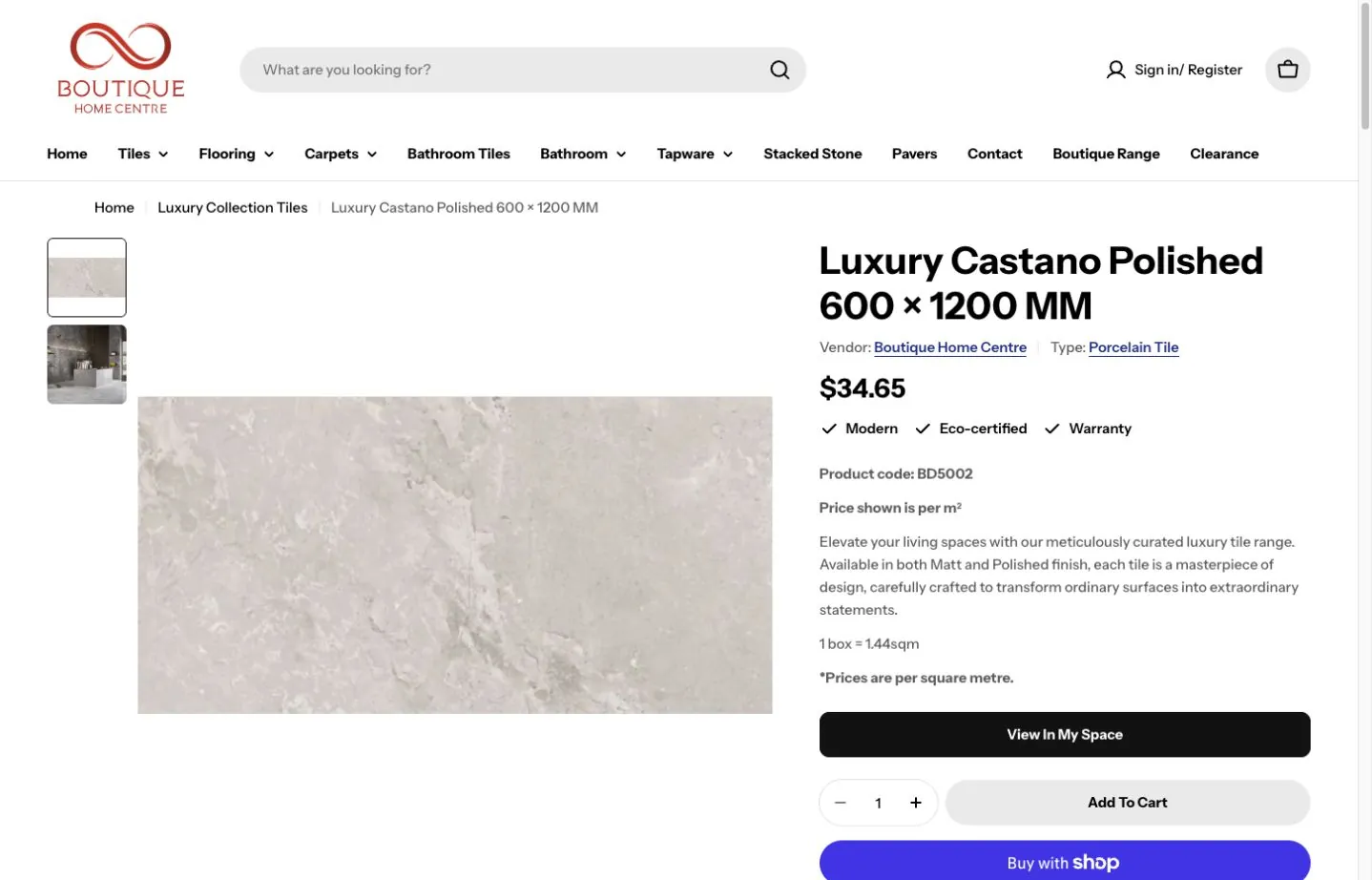
On the sampled Luxury Castano Polished tile, the page shows the vendor and type, the product code, a line saying the price is per square metre, and how many square metres one box covers. View in My Space, the quantity and Add to cart sit directly below, with a Get a quote button and pickup details. Tabs hold the product details, specifications, materials and care, and the rooms the tile suits.
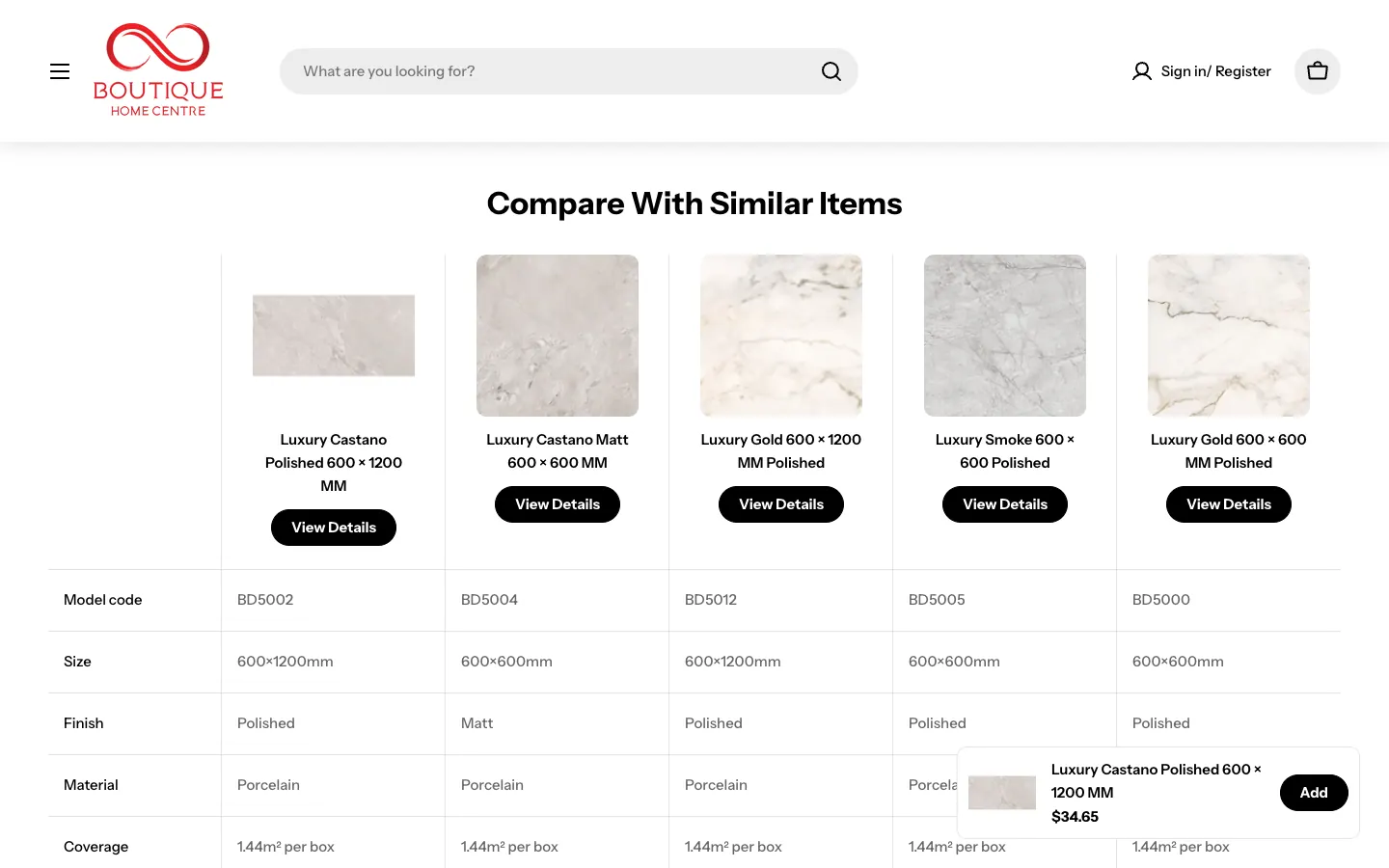
Further down, Compare With Similar Items sets five tiles side by side, with the model code, size, finish, material, coverage and price for each. Customers can weigh a matt against a polished finish, or a 600 by 600 against a 600 by 1200 format, without opening five tabs.
Freight quotes for heavy orders
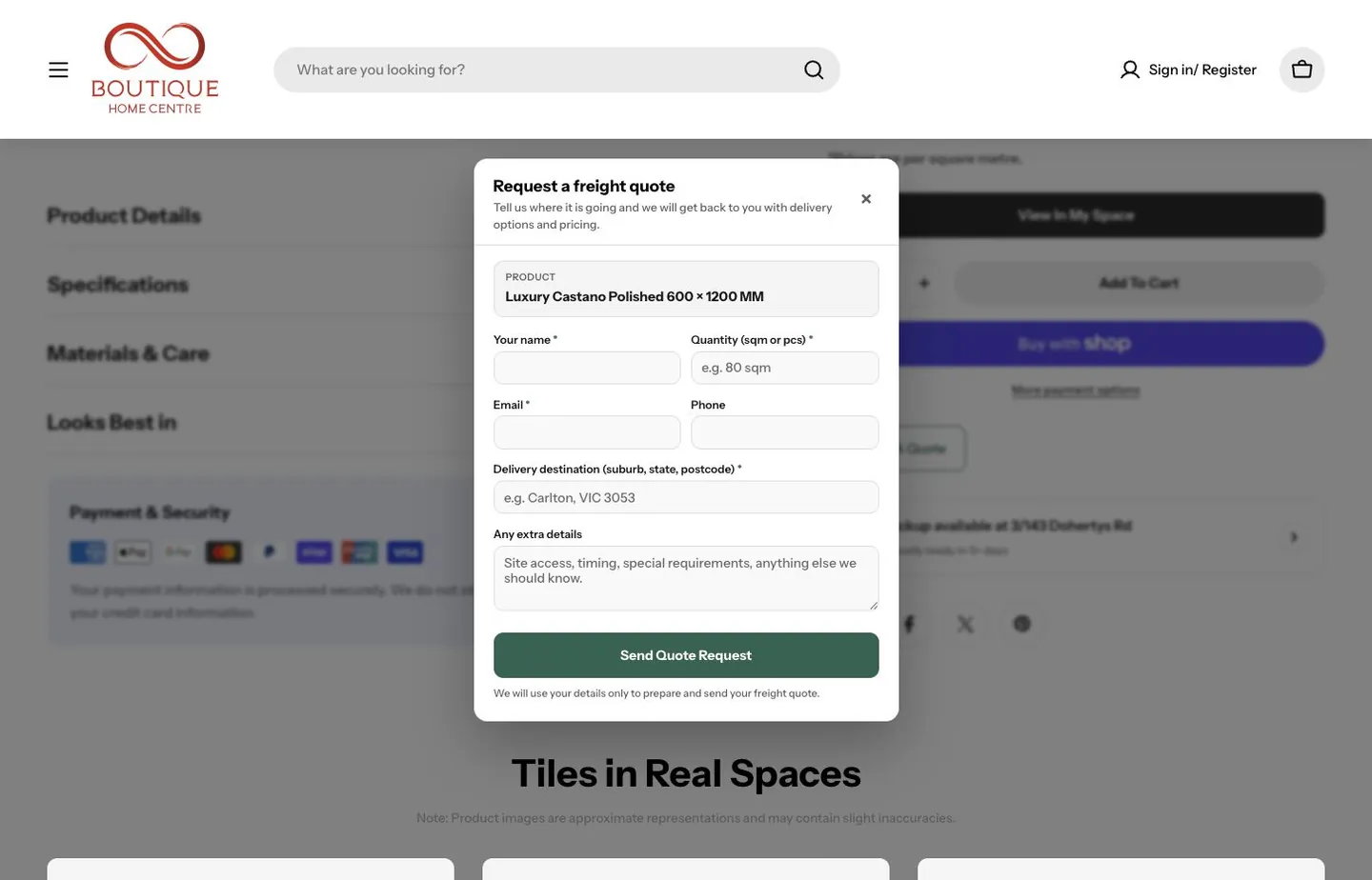
Tiles and bathware are heavy, so delivery has to be quoted. Get a quote opens a freight form with the product already filled in. It asks for a name, the quantity in square metres or pieces, an email and phone, the delivery suburb, state and postcode, and anything about site access, timing or special requirements. The team receives the product and the job in one request.
A room preview on the product page
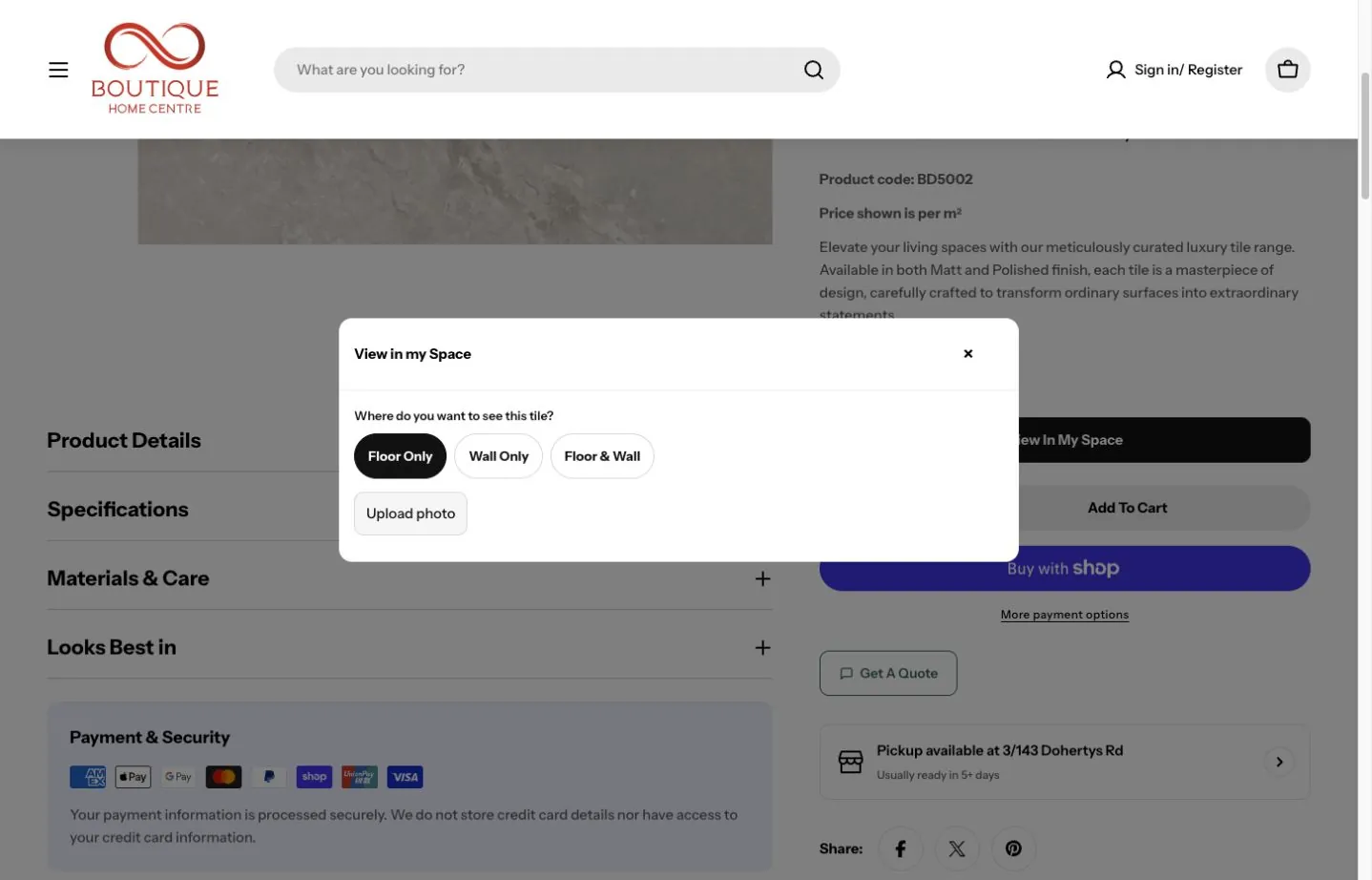
View in My Space lets a customer try the tile they are looking at on a photo of their own room. The panel asks where the tile should go, floor only, wall only, or floor and wall, then takes the photo and returns a preview, with retry and save controls. It is a visual aid: the specifications and a physical sample still matter for the final choice.
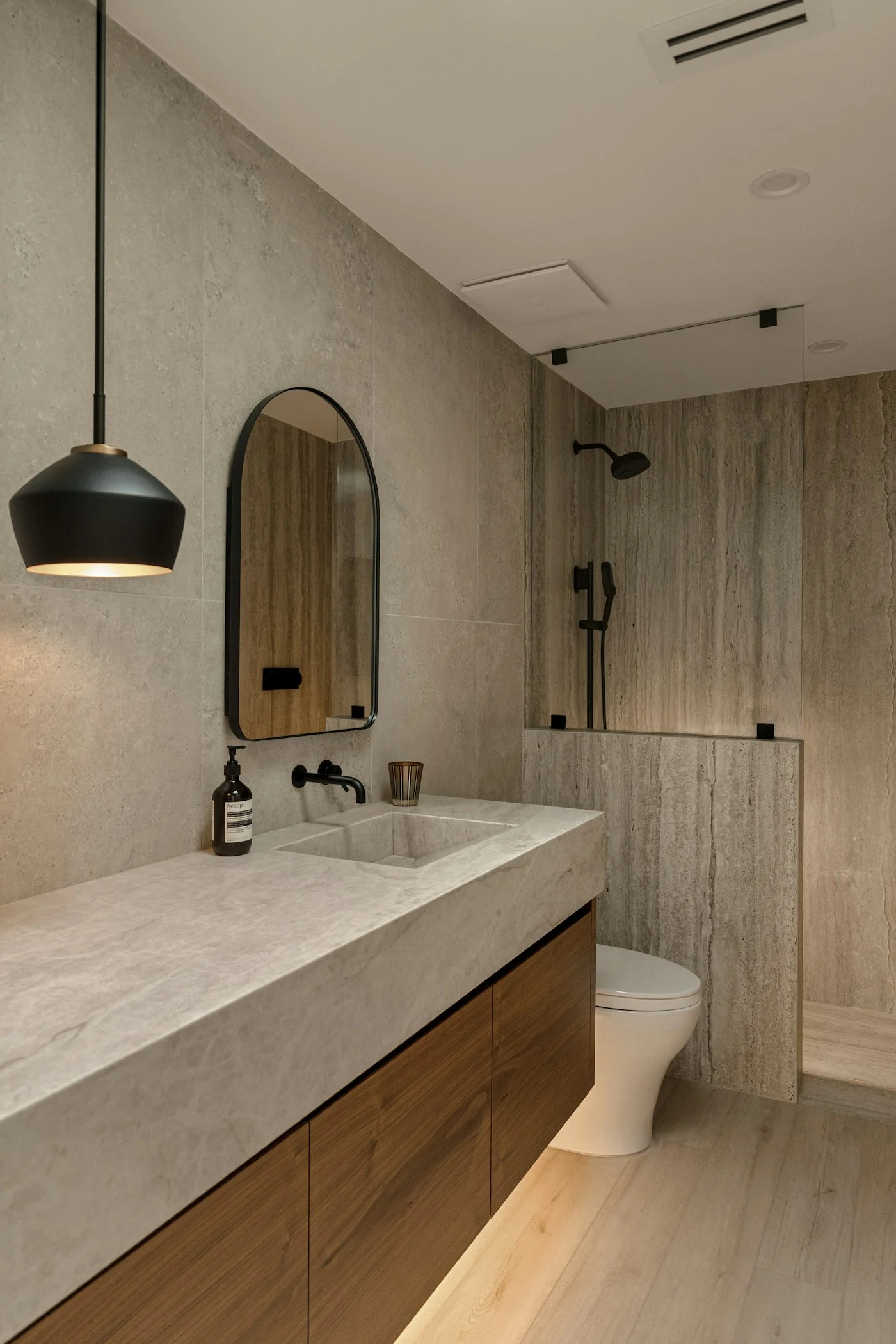
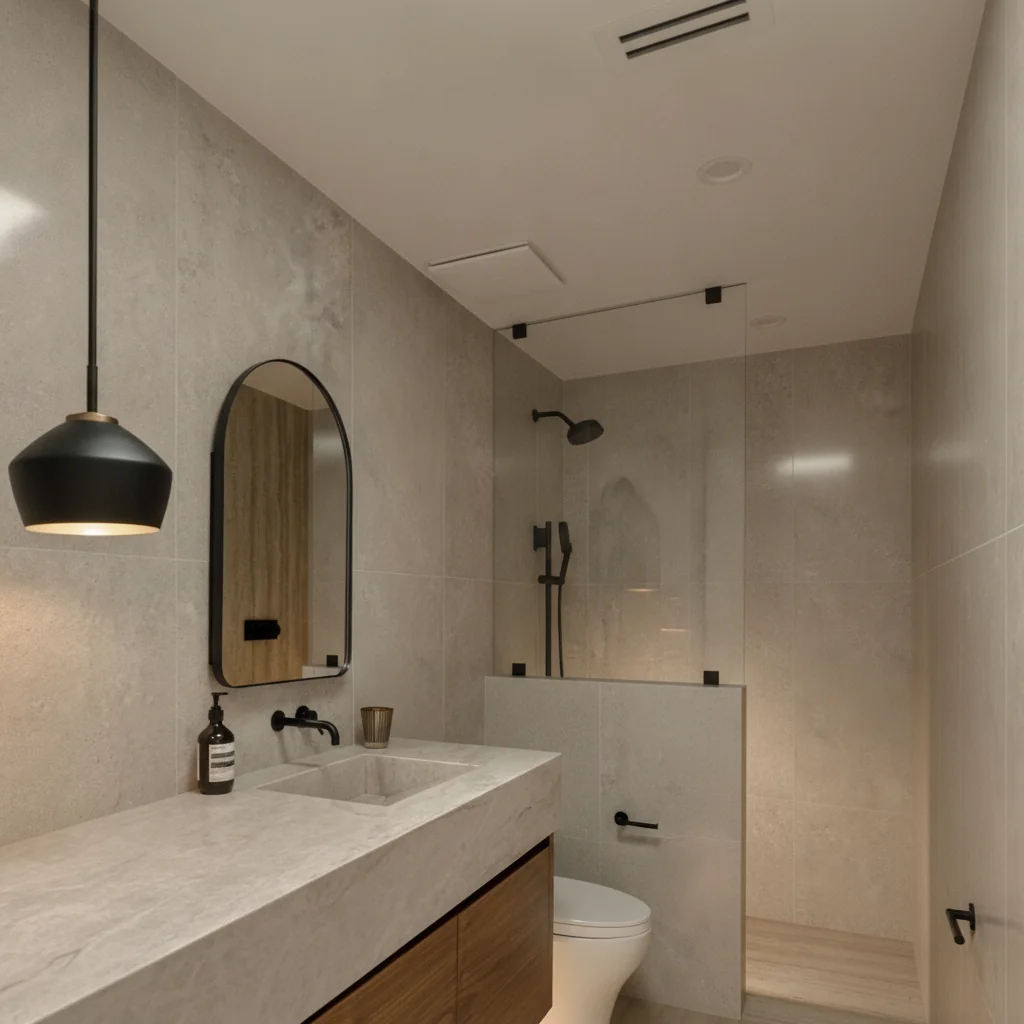
We tested the live service with a licensed sample bathroom photograph and the Luxury Castano 600 by 1200 tile selected for the walls. The original and the returned preview are shown below.
A room reference, tested through the live visualiser
Room reference uploaded to the live visualiserThe original portrait photograph used for the test. Select the image to open it at full size.AI-generated wall preview using BD5002The actual square image returned by the store's visualiser. Select the image to open it at full size.
The live AI preview reinterprets the room to illustrate a design option. Compare it with the original reference above, then use physical samples and product specifications for the final selection. Reference photograph: Peter Muniz on Unsplash.
Product content and imagery at scale
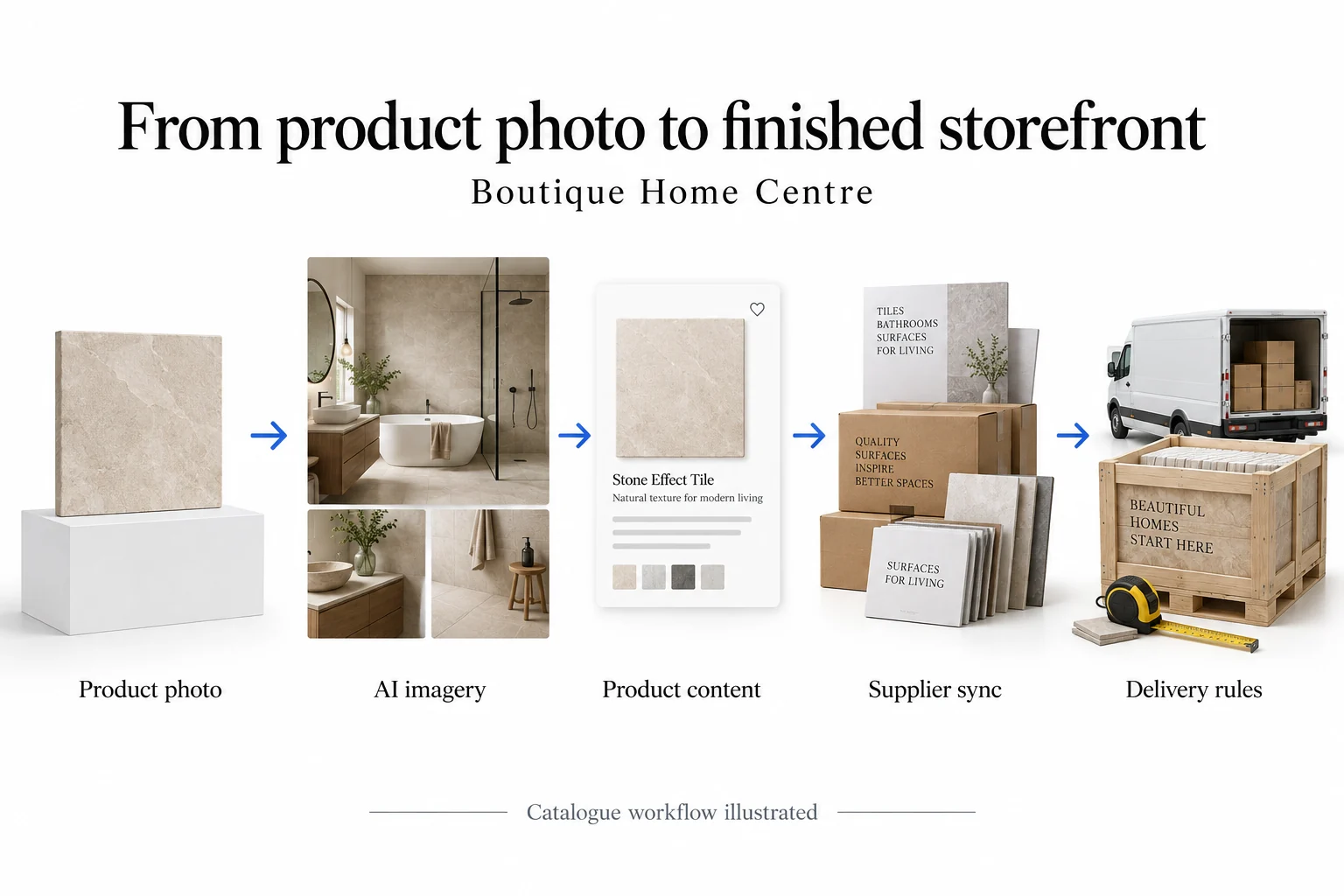
The migration filled gaps in the product information. We used the available product and supplier details to write descriptions and set out specifications and coverage consistently, with AI-assisted writing checked against the source information. Size, material, finish and coverage matter more to a tile buyer than general promotional copy.
AI-assisted production also turned product reference photos into room and lifestyle scenes, so a tile can be shown in a bathroom or kitchen without a physical installation for every product. Each image has to stay faithful to the product's colour, finish and proportions, and the store notes that room images are approximate representations.
AI-generated diagram explaining Boutique Home Centre's catalogue migration and product-information improvements.
Built for phones
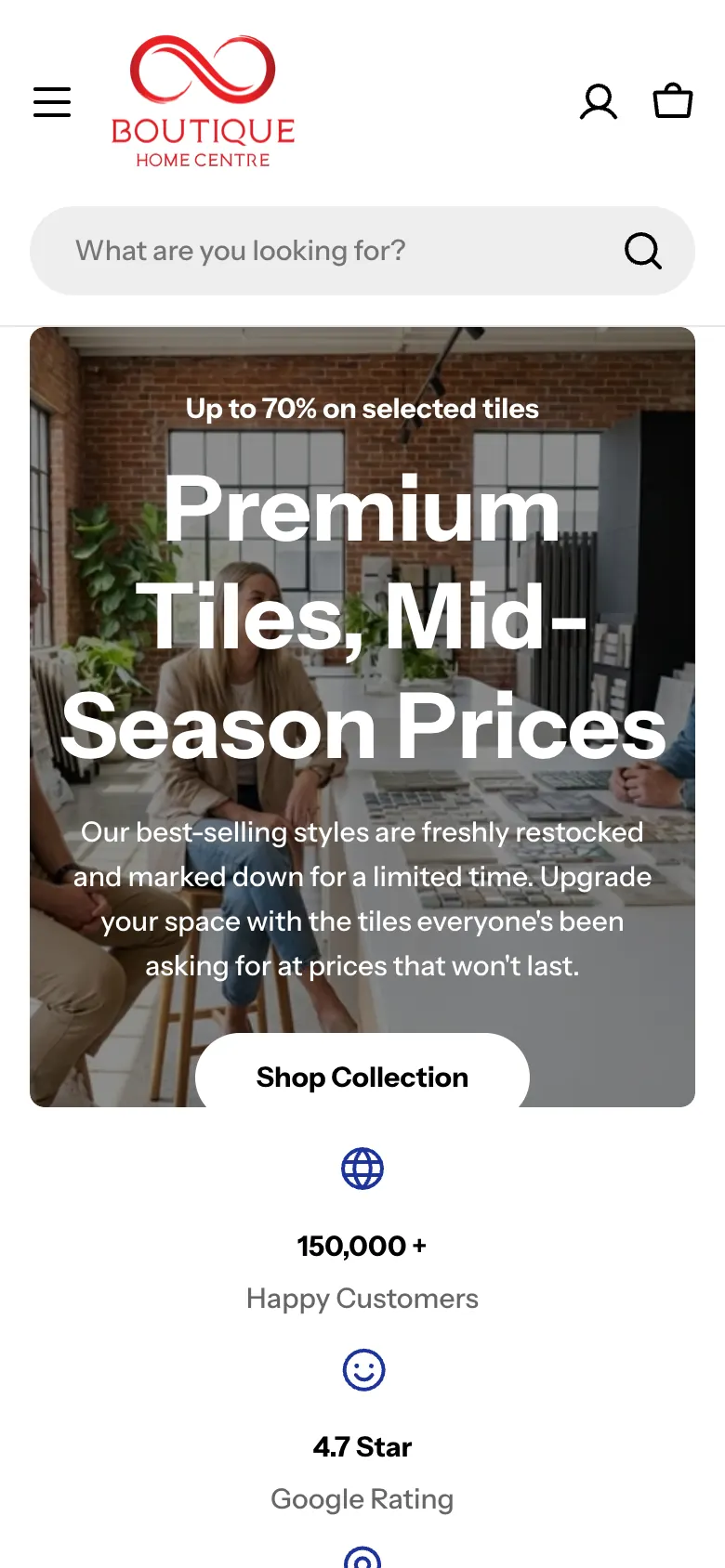
On a phone, the header keeps the menu, the logo, the account and the cart, with the search bar directly underneath. Product pages lead with the breadcrumb, the gallery, the title and the price, and the same order details, room preview and quote request follow in a single column.
Where the value comes from
The value is practical. Customers can find a product from a room, a material or a code, compare it with similar products, work out how many boxes to order and ask about freight with the product attached. The business gets consistent product pages, reusable imagery and quote requests that already describe the order.
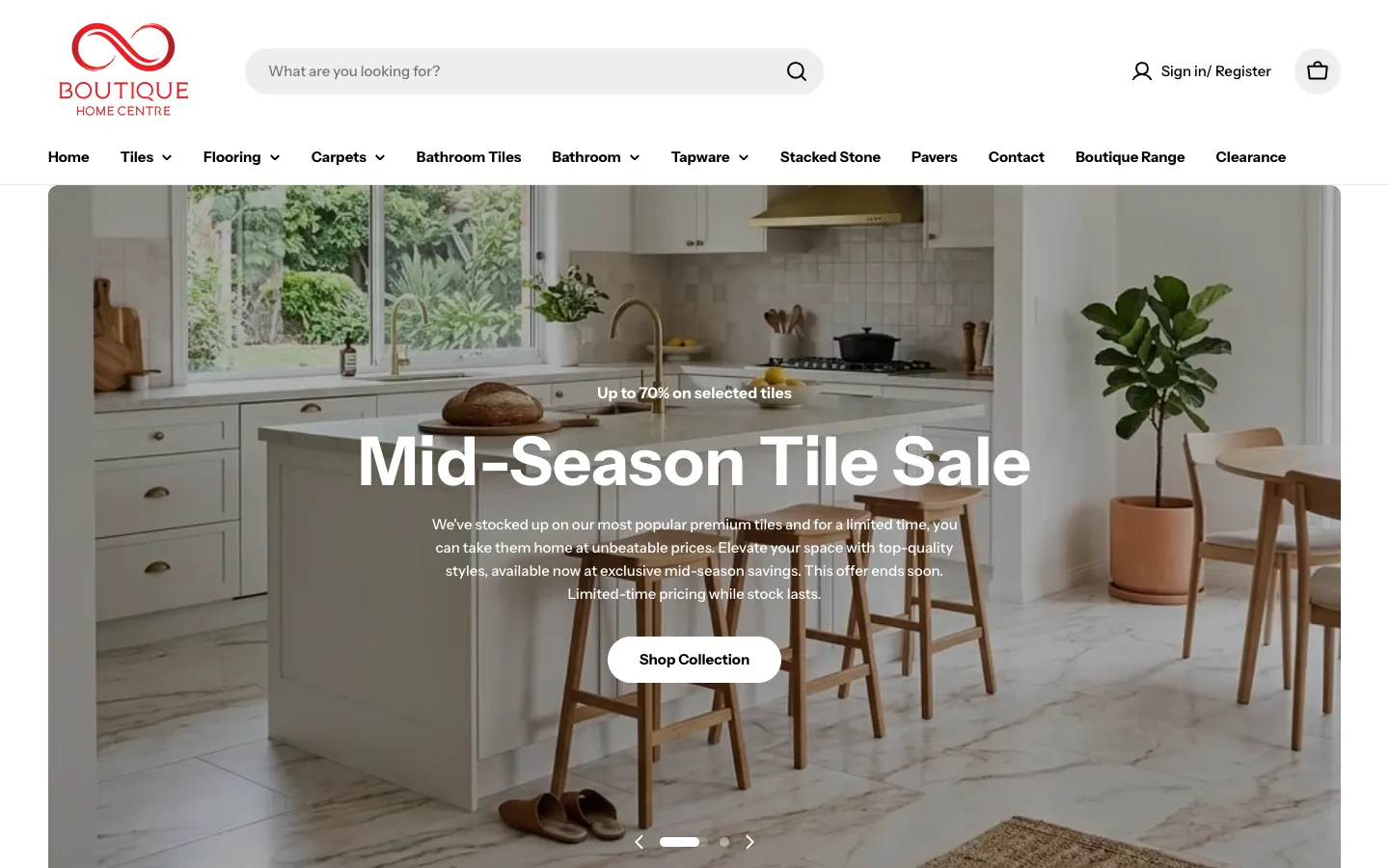
Boutique Home Centre home page with the search bar, the main menus and a kitchen sale slide
Tiles menu — Nine collections by material and look, from porcelain and Moroccan tiles to kitchen splashbacks and timber-look tiles.
Real life renovations — Room photos with the products used tagged on them, each opening the product.
More project detail
Project highlights
Project highlights
What we delivered for Boutique Home Centre.
A closer look at the services and features delivered. Open a tile for the source behind each detail.
Project highlight
Compare + visualise
product tools, room previews and freight quotes
Website delivery
Project detail
3,592 product pages under 86 collections, with search and five header menus. Product pages with the code, the unit, box coverage and a five-product comparison.
3,592
Product pages in the Shopify catalogue
Live sitemap count
Project detail
Product page addresses in the store's live product sitemaps, counted when this study was written. The home page, which the first product sitemap also lists, is not counted.
86
Collections, from porcelain tiles and hybrid flooring to tapware and carpets
Live sitemap count
Project detail
Collection page addresses in the store's live collections sitemap.
5
Menus in the main navigation, opening on 29 collections
Counted on the live site
Project detail
Counted in the live header: Tiles, Flooring, Carpets, Bathroom and Tapware open on 9, 4, 5, 9 and 2 collections.
5
Tiles compared side by side on the sampled tile page, the current one included
Counted on the live site
Project detail
Products in Compare With Similar Items on the live Luxury Castano Polished page: model code, size, finish, material, coverage and price for each.
3
Placements in View in My Space: floor only, wall only, or floor and wall
Counted on the live site
Project detail
Options in the View in My Space panel on the live tile page. No customer photo was uploaded.
Project notes +
Product and collection counts are the page addresses in the store's live Shopify sitemaps. Screenshots show the delivered website. Campaign outcomes, where included, use the periods and definitions in the linked advertising case study.
Quick summaryInside the build
Insights
Inside the build
Details from the Boutique Home Centre project. Open a card for the finding and its source.
The build01
3,592
Nearly every page is a product page, reached through 86 collections
3,592 of the store's pages are products, so the work was in the routes to them: five menus in the header, collections with filters, sorting and a compare switch, and a search box on every page. A customer can start from a room, a material or a product code and still land on the right tile.
Source and basis. Product and collection page addresses in the store's live sitemaps; menus, filters and search checked on the live site.
The build02
m² + box
The product page puts the order maths beside the photo
On the sampled tile, the product code, the price per square metre and the box coverage sit under the title, with the room preview, quantity, add to cart and a quote request directly below. A specifications tab and a five-product comparison table follow, so the customer can check size, finish and coverage before ordering.
Source and basis. Checked on the live Luxury Castano Polished product page.
The build03
1 form
Freight quotes carry the product with them
Get a quote opens a freight form with the product already filled in. It asks for the quantity in square metres or pieces, the delivery suburb, state and postcode, and anything about site access or timing, so the team can price a heavy order properly.
Source and basis. Fields read from the freight quote form in the live product page. Nothing was submitted.
The build04
3
View in My Space keeps the room preview on the product page
The panel offers floor only, wall only, or floor and wall, then takes a photo of the customer's room. We ran a licensed sample bathroom photo through the live service with the Luxury Castano tile on the walls, and the returned preview is shown in this study beside the original.
Source and basis. Options counted in the live View in My Space panel; the sample request used a licensed photograph, not a customer's room.
Full-page and device viewsMore screenshots
Website showcase
A closer look at the website.
Explore Boutique Home Centre’s website, from the first impression to the details.
Use the left and right arrow keys to browse screenshots. Home goes to the first screenshot and End goes to the last.
Collection page — Product count, availability and price filters, sorting, grid or list view and a Compare switch.
01 / 08 · Collection page — Product count, availability and price filters, sorting, grid or list view and a Compare switch.
Design details
Inside the website
The thinking behind the pages.
01 · Website detail
The order details beside the photo
The product code, the price per square metre and the box coverage sit under the title, with View in My Space, quantity and Add to cart directly below.
The store's live sitemaps list 3,592 product pages and 86 collections. These figures describe the published catalogue, not visits or sales.
How does a customer work out the quantity to order?
Tile pages state that the price is per square metre and how many square metres one box covers, and the comparison table lists coverage for each similar tile. The freight form then asks for the quantity in square metres or pieces.
How does View in My Space work?
On a tile page, the customer chooses floor only, wall only, or floor and wall, uploads a photo of their room and receives an AI preview of the tile in that space. It is a visual aid; specifications and samples still matter for the final choice.
Can I see the Boutique Home Centre store?
Yes. The live store is linked in this case study, alongside screenshots of the pages and features described here.
What did SoudCoh deliver for Boutique Home Centre?
3,592 product pages under 86 collections, with search and five header menus. Product pages with the code, the unit, box coverage and a five-product comparison. Freight quote forms that carry the selected product and quantity. View in My Space, which previews a tile on a photo of the customer's room.
— 09 · Read next
More work in this industry.
Explore the campaigns, websites and customer journeys we have built for more businesses in this industry.
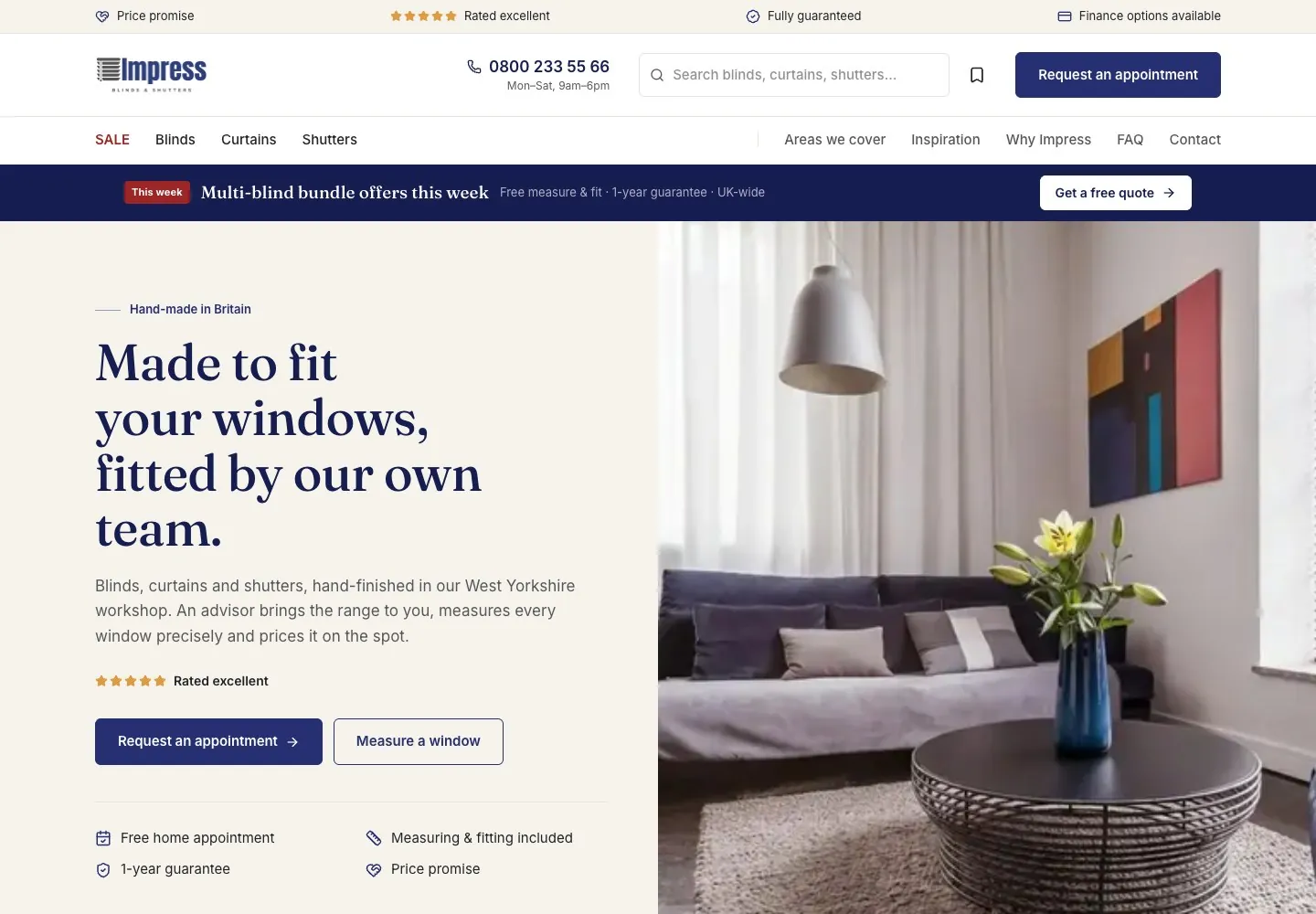
Impress Blinds: a blinds catalogue with measuring tools and local appointments. See the design, service pages and enquiry experience.
Impress Blinds makes and fits made-to-measure blinds, curtains and shutters, with free home appointments across England and Wales.
Delivered: 1,007 range pages and 116 product-type pages built from one catalogue. 570 location pages across 48 counties and 521 towns.
Outcome: We built 1,007 range pages and 116 product-type pages built from one catalogue. We also added 570 location pages across 48 counties and 521 towns.