
    Proof
    Aussie Plumbing — ad spend scaled 1.8× with enquiries up 2.1×, so each enquiry cost lessI-ELEC — a 231-page electrician website for Inner SydneyWhat a plumbing lead costs on Google AdsWhat a lead costs on Google Ads, industry by industrySLS Solicitors — cost per recorded Google Ads conversion down 58.48%Wilco Plumbing — search campaigns and service pagesWilco Plumbing — service menus and guided enquiriesHow much should a trade business spend on marketing?State Choice Plumbing — a drains, hot water and gas websiteAussie Drains — a 600-page drain website for SydneyWhat an electrician lead costs on Google AdsAussie Electrical — a 650-page electrical website for SydneyThe most efficient ways for a trade business to get leadsEOL Melbourne — click-to-enquiry rate up from 28% to 33.4%What a cleaning lead costs on Google AdsAlliance Plumbing — ad spend scaled 1.8× with enquiries up 2.1×, so each enquiry cost lessImpress Blinds — cost per recorded Google Ads conversion down 62.63%FixCare Property - cost per enquiry down 28%Rubbish Removal WA — cost per enquiry down 53.18%Floral Cakery — cost per enquiry down 49.82%ILLUMINATE Laser Emporium — cost per enquiry down 48.54%Sydney Fence Painting — cost per enquiry down 33.68%Alliance Plumbing — cost per enquiry down 29.6%Gridless Build Solutions — cost per enquiry down 29.16%FacilityWorx — cost per enquiry down 23.62%Cornerstone Roofing — cost per enquiry down 20.47%Council finance — budgeting and workforce designCouncil planning — clearer approvals and reportingCultural audiences — media strategy and creative conceptsCommunity participation — surveys, maps and project pagesPublic-sector research — survey design and analysisPublic art — site studies and visual conceptsRegional identity — visitor guides and wayfinding conceptsCouncil systems — integration and migration planningA pressure washing business — service-led search campaignsA pressure washing business — a clear enquiry journeyA carpet cleaner — Google Ads built around cleaning servicesA roofing company — campaigns for repairs and restorationA CCTV installer — campaigns for security enquiriesA fence painter — search campaigns for specific surfacesA maintenance business — live in 8 weeks, 3 stacks gone5.0 across every Google review$120M+ in media under management250+ active engagements across five countries
    Small Business

    How to update an old blog post so it ranks again (what to change, what not to)

    To update an old blog post so it ranks again, pick posts whose traffic is slipping or whose facts are out of date, fix the facts, answer the main question first, add sections for what people now search for, link to newer posts, and show a "Last updated" date. Keep the same URL, and don't change only the date: Google lists that as a warning sign.

    • By Vaishu, Head of SEO
    • 9 November 2026
    • 4 min read
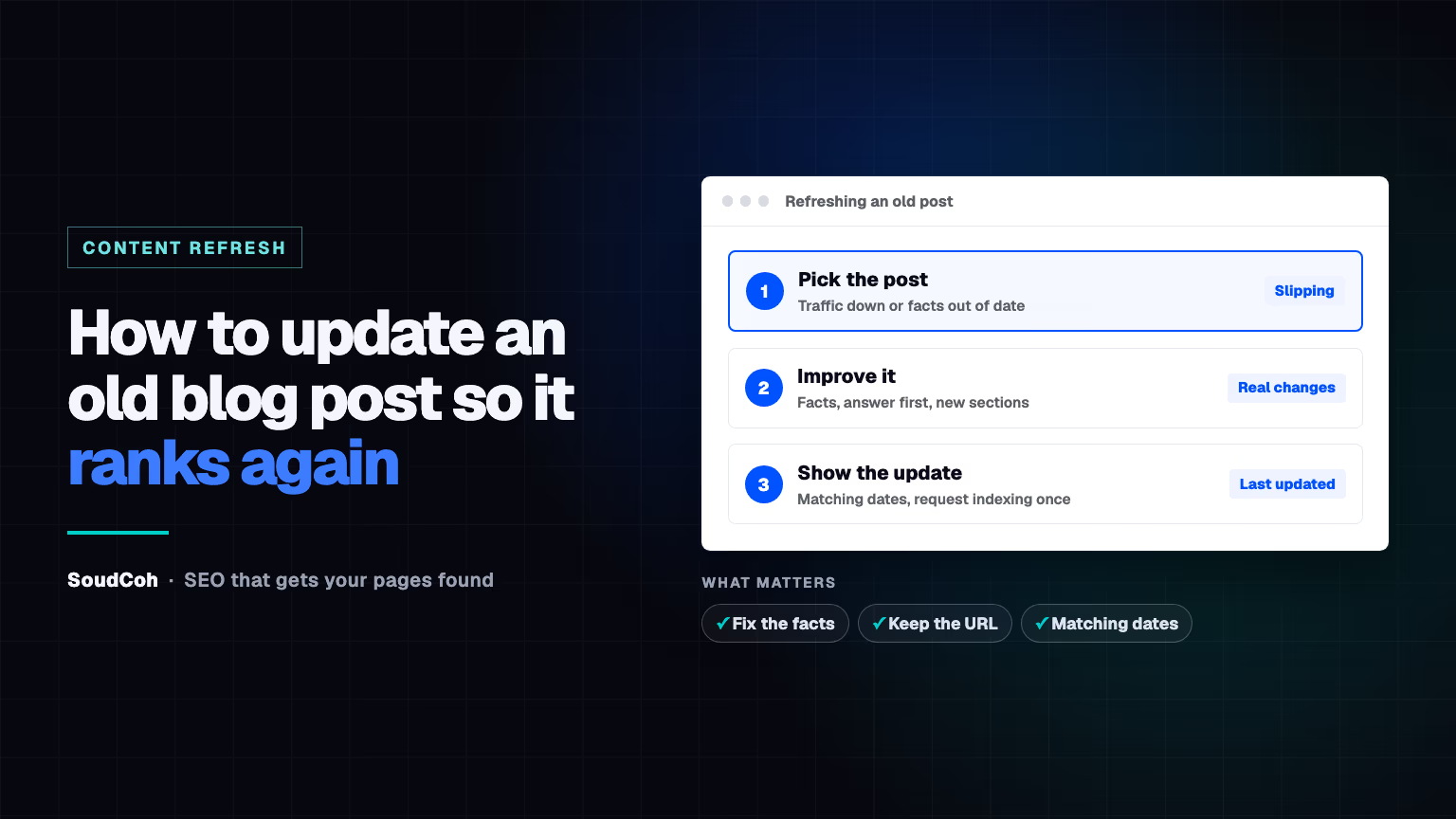
    How to update an old blog post so it ranks again. Beside the headline, three steps: pick posts that are slipping, improve them with real changes, then show a Last updated date and request indexing once. Below: fix the facts, keep the URL, matching dates.

    Three checks before you hit update

    Run these on every refreshed post.

    Tick a check as you review it.

    Update the content first; the date follows.

    Your old blog posts aren't finished. A post that ranked last year can slip quietly, and a good update often brings it back faster than writing something new.

    Why old posts lose traffic

    Facts go out of date, competitors publish better answers, and what people search for changes. Pages can even drop out of Google: in IndexCheckr's study of more than 300,000 indexed pages, about 1 in 5 were later removed from the index.

    Updating a good post is often quicker than writing a new one, and it keeps the links and history it already has.

    Which posts to update first

    1. Posts that used to get traffic and are slipping. Compare the last three months with the same months last year in Search Console or Google Analytics.
    2. Posts with old facts: prices, rules, dates or screenshots that have changed.
    3. Posts that nearly rank: pages appearing for useful searches but rarely clicked.

    What to change

    DoDon't
    Fix out-of-date facts, prices and examplesChange only the date
    Answer the main question in the first paragraphPad it out to hit a word count
    Add a section for what your customers now search forStuff in keywords that don't fit
    Add links to your newer related postsChange the URL
    Show a "Last updated" dateDelete the original publish date

    Google's guidance on helpful, people-first content is blunt about shortcuts: it lists changing dates without substantially changing the content as a warning sign, and says adding content just to make a site seem fresh won't help.

    Change the content, not just the date.

    After you update it

    • Show the new "Last updated" date, and make sure it matches the date in the page's structured data. Google says the visible and structured dates should match.
    • Request indexing once in Search Console.
    • Share it again with your email list and on social media. As with the best time to post a blog, people are the first readers; Google follows.

    How SoudCoh helps

    Good SEO services keep a refresh list for every site: which posts to refresh, what to add and what to leave alone. If you're looking for the best marketing agency for your business, book a free marketing audit.

    Common questions about updating old posts

    Should I change the date when I update a post?

    Only if you've substantially changed it. Google lists changing dates without substantially changing the content as a warning sign. Show it as "Last updated", and keep the original publish date.

    Should I change the URL of an updated post?

    No. Keep the same address so the links and history it has built stay with it.

    How often should I update old posts?

    Check your most-visited posts every few months, and update any post as soon as a price, rule or fact in it changes.

    Questions and answers

    Is it better to update an old post or write a new one?

    Update it if the topic is the same. A new post on the same topic competes with the old one; an updated post keeps its links and history.

    Should I delete old posts that get no traffic?

    Not automatically. Update them if the topic still matters to customers; redirect them to a better page if it's covered elsewhere.

    Old posts losing traffic?

    Tell us which posts used to bring enquiries, and we will show you which ones to update first and what to change. Start with a free marketing audit.

    Book a free marketing audit

    Sources and related projects

    1. Google Search Central, "Creating helpful, reliable, people-first content": changing the date of pages to make them seem fresh when the content has not substantially changed is listed as a warning sign; adding or removing content to seem fresh: "No, it won't": developers.google.com/search/docs/fundamentals/creating-helpful-content
    2. Google Search Central, "Influence your byline dates in Google Search": label dates with text like "Last updated"; visible and structured dates should match; don't specify future dates: developers.google.com/search/docs/appearance/publication-dates
    3. IndexCheckr, "Google Indexing Study: Insights from 16 Million Pages" (updated 8 Nov 2026): of 310,705 indexed pages tracked, 21.29% were later deindexed: indexcheckr.com/resources/google-indexing
    Read next

    Filed under the same desk first. The full index is searchable and filters by reader.

    Explore the services and related work

    See how the ideas in this article connect with our services and client projects.

    • SEO services — A refresh list for every site: which pages to update and what to change.

    • Technical SEO — Dates, structured data and indexing checks after each update.

    Related client work.

    These are individual engagements where the market, system or measurement problem overlaps with the briefing. Each study names its window and the evidence available; none is a forecast for another account.