
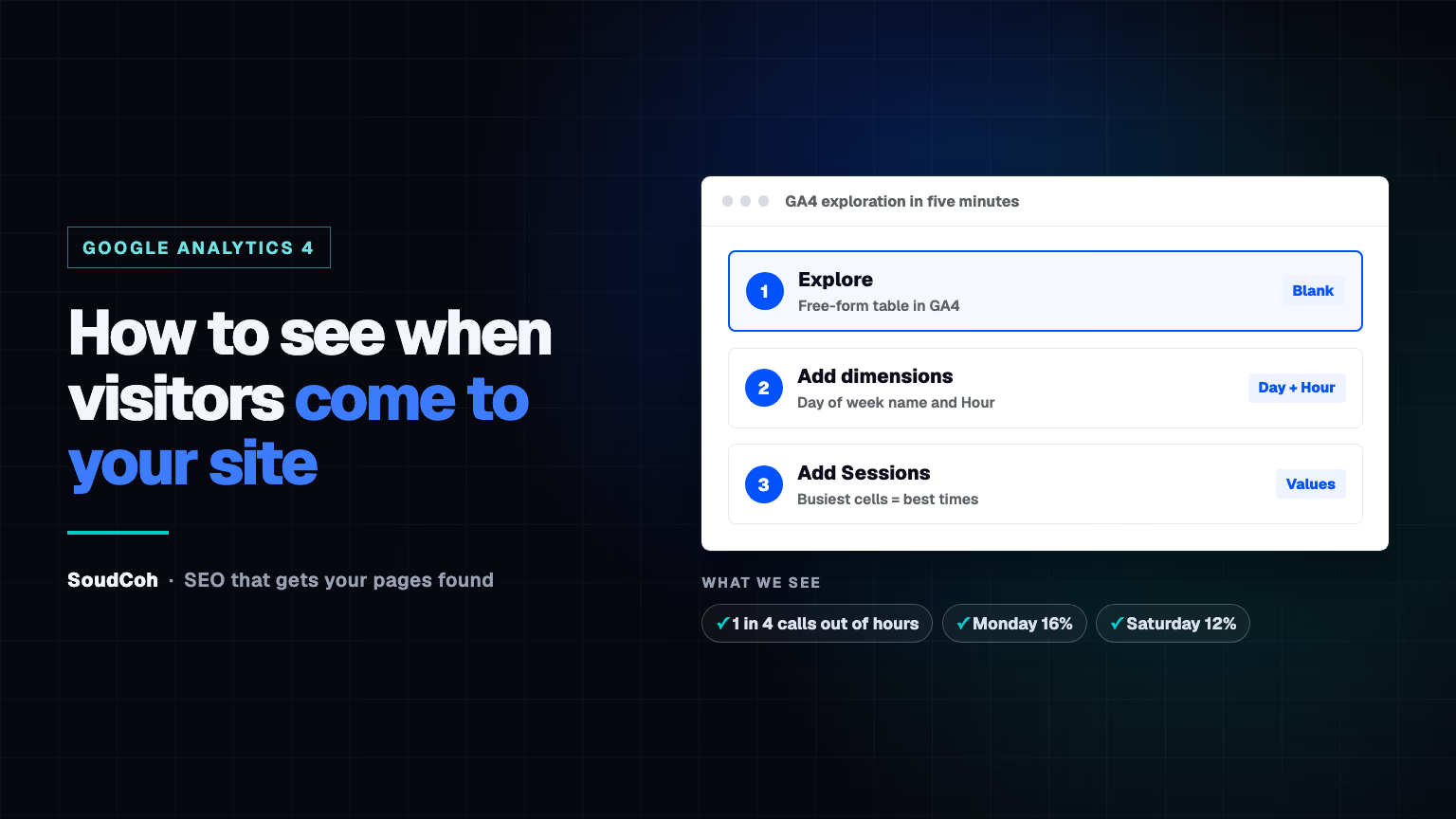
Knowing when people visit your website tells you when to publish, when to send emails and when someone should be answering the phone. Google Analytics 4 can show you in about five minutes.
Why it's worth knowing when visitors arrive
It answers practical questions: when to send your newsletter, when to post on social media, when someone should be answering the phone, and what time should I post a blog.
The answer is often not 9 to 5. In SoudCoh's research on Australian trade businesses, about 1 in 4 calls from ads arrived before 7am, after 6pm or on a weekend, and no single day dominated: Monday brought 16% of the week's enquiries and Saturday 12%.
How to see visits by hour and day in GA4
- In Google Analytics 4, click Explore in the left menu.
- Start a Blank exploration. It opens as a free-form table.
- Next to Dimensions, click +, tick Day of week name and Hour, then click Import.
- Next to Metrics, click +, tick Sessions (or Active users), then click Import.
- Drag Day of week name into Rows, Hour into Columns, and Sessions into Values.
- Set the date range to the last three months.
Google's help page on getting started with Explorations covers the screen in more detail. Switch the visualisation to a heatmap-style table to spot the busy hours at a glance.
How to read the results
| What you see | What to do |
|---|---|
| A clear busy window (say, weekday mornings) | Publish and send emails just before it |
| Strong evenings or weekends | Check someone can answer calls and forms then |
| No clear pattern | Timing matters less; focus on content and links |
Don't write weekends off. In SoudCoh's plumbing data, weekend enquiries became paid jobs about 1.2 to 1.4 times as often as weekday business-hours ones.
About 1 in 4 calls from ads arrived before 7am, after 6pm or on a weekend.
Go one step further
- Add Page title to see which posts are read at which times.
- Add Session default channel group to compare Google search visitors with email and social.
- Use the busiest pages to decide which old posts to update first, and Search Console to see what those visitors searched for.
How SoudCoh helps
All of this depends on having Google Analytics set up properly, so visits, calls and forms are counted correctly. If you're looking for the best marketing agency for your business, book a free marketing audit.
Common questions about visit times in GA4
Which time zone does GA4 use for the hour?
Your GA4 property's reporting time zone, set in Admin under Property settings. Make sure it's your local time zone, or the hours will look shifted.
How much data do I need before trusting the pattern?
Look at at least a few months. A single week can be skewed by a holiday, a newsletter or a one-off spike.
Can I see which pages people visit at night?
Yes. Add the Page title dimension to the same exploration to see which pages are busiest at each hour.
Questions and answers
Can I do this in Universal Analytics?
No. Universal Analytics stopped processing data in 2023, so use Google Analytics 4.
Does visit time affect my Google rankings?
No. It helps you choose when to share posts and staff the phones; Google ranks pages on how useful they are, not when people visit.