
    Proof
    Aussie Plumbing — ad spend scaled 1.8× with enquiries up 2.1×, so each enquiry cost lessI-ELEC — a 231-page electrician website for Inner SydneyWhat a plumbing lead costs on Google AdsWhat a lead costs on Google Ads, industry by industrySLS Solicitors — cost per recorded Google Ads conversion down 58.48%Wilco Plumbing — a 516-page plumbing website for SydneyHow much should a trade business spend on marketing?State Choice Plumbing — a drains, hot water and gas websiteAussie Drains — a 600-page drain website for SydneyWhat an electrician lead costs on Google AdsAussie Electrical — a 650-page electrical website for SydneyThe most efficient ways for a trade business to get leadsEOL Melbourne — click-to-enquiry rate up from 28% to 33.4%What a cleaning lead costs on Google AdsAlliance Plumbing — ad spend scaled 1.8× with enquiries up 2.1×, so each enquiry cost lessImpress Blinds — cost per recorded Google Ads conversion down 62.63%FixCare Property — cost per enquiry down 56.36%Rubbish Removal WA — cost per enquiry down 53.18%Floral Cakery — cost per enquiry down 49.82%ILLUMINATE Laser Emporium — cost per enquiry down 48.54%Sydney Fence Painting — cost per enquiry down 33.68%Alliance Plumbing — cost per enquiry down 29.6%Gridless Build Solutions — cost per enquiry down 29.16%FacilityWorx — cost per enquiry down 23.62%Cornerstone Roofing — cost per enquiry down 20.47%Council finance — budgeting and workforce designCouncil planning — clearer approvals and reportingCultural audiences — media strategy and creative conceptsCommunity participation — surveys, maps and project pagesPublic-sector research — survey design and analysisPublic art — site studies and visual conceptsRegional identity — visitor guides and wayfinding conceptsCouncil systems — integration and migration planningA pressure washing business — service-led search campaignsA pressure washing business — a clear enquiry journeyA carpet cleaner — Google Ads built around cleaning servicesA roofing company — campaigns for repairs and restorationA CCTV installer — campaigns for security enquiriesA fence painter — search campaigns for specific surfacesA maintenance business — live in 8 weeks, 3 stacks gone5.0 across every Google review$120M+ in media under management250+ active engagements across five countries
    Government & Public Sector

    Design digital consultation people can complete

    A useful digital consultation tells people what can change, makes participation straightforward and explains what happens to their input. SoudCoh can design consultation pages, surveys, mapping activities and review workflows for councils and public programmes, with a clear connection between the public contribution and the decision it informs.

    • 23 September 2026
    • Updated 24 September 2026
    • 4 min read
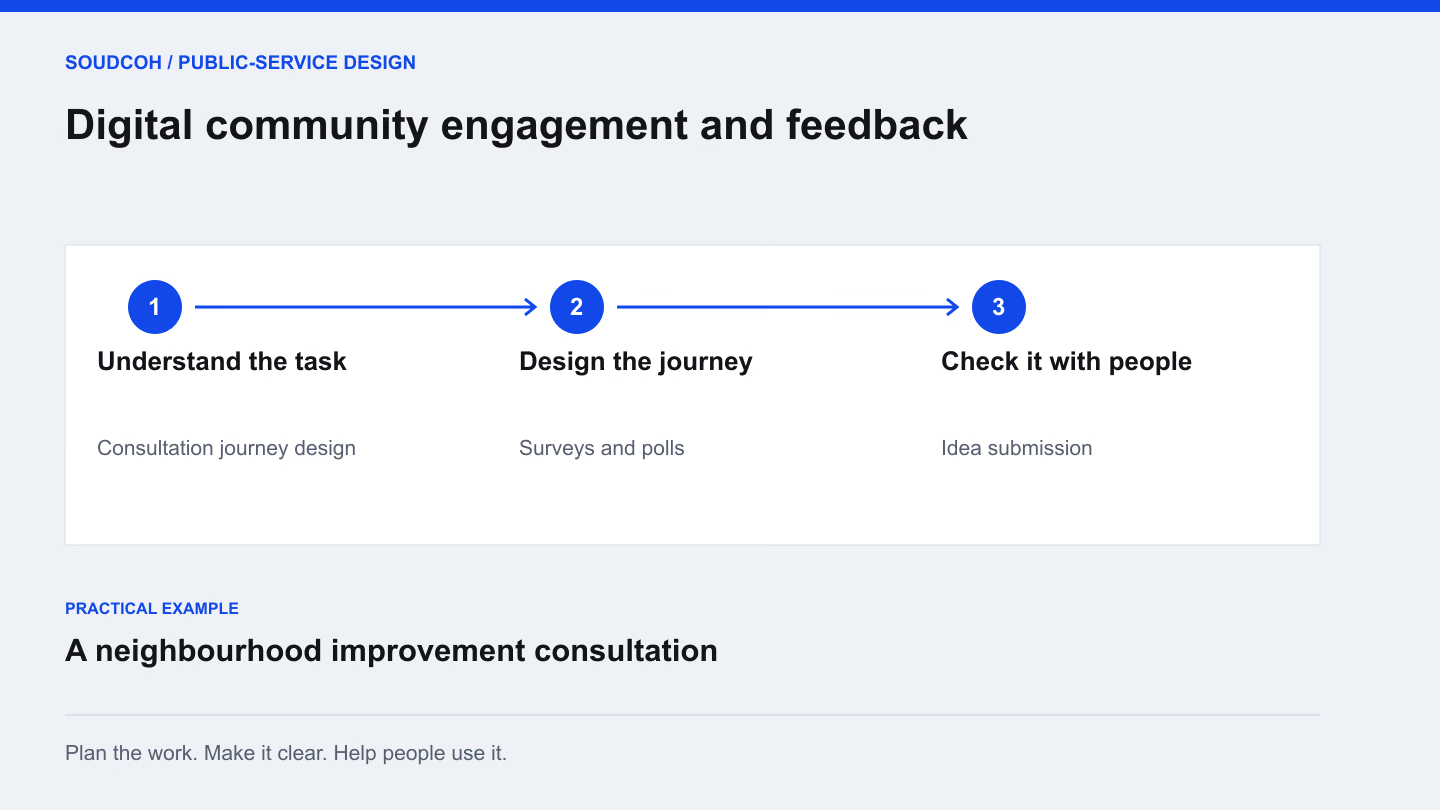
    Digital community engagement and feedback: understand the task, then design the journey, then check it with people.
    An example approach for a neighbourhood improvement consultation.

    A practical guide

    Choose participation tools for the decision being made

    • Residents need to understand the options

      Start with a clear project explanation

      Describe the proposal and the decision before asking people for their views.

    • The team needs comparable responses

      Use a focused survey or guided submission

      Ask questions that connect to the decision and provide accessible ways to participate.

    • A concern depends on a particular place

      Consider a feedback map

      Use location only where it helps the response, then explain how the team will review and close the consultation.

    Digital consultation works best when people understand the decision, the contribution being requested and what happens to their response. The choice of survey, map or discussion tool follows that explanation. A useful engagement website also gives staff a practical way to review and respond to what people share.

    Explain what can change

    Begin with the decision being made. Describe the parts that are open to input and any constraints that are already established. People can give more relevant feedback when they understand the scope of the conversation.

    For a neighbourhood improvement project, that might mean explaining several options, the features they share and the questions still being considered. Keep the explanation short enough to read before taking part, with supporting detail available nearby. Avoid asking for views on a choice that has already been made.

    Choose a format that suits the question

    A short survey can compare defined options. A map can connect feedback with a place. An ideas space may help when the team wants suggestions that do not fit a fixed list. A discussion format needs a clear purpose and a plan for moderation.

    Do not add every available tool simply because the platform supports it. Walk through what each contribution will tell the team and how it will be used. Where two tools ask the same question, consider whether one clearer activity would make participation easier.

    Match the question to the contribution

    Choose the smallest useful activity. Adding several participation tools can make the same consultation harder to understand.

    Compare defined options → a focused question
    Show the options on a consistent basis, explain the constraints and ask what matters to the participant. Keep open comments available where a fixed answer cannot explain their reasoning.
    Locate an issue → a map with an alternative
    Ask for a place and the issue at that place. Provide a text-based way to contribute when the map is difficult to use, and plan how both routes will be reviewed together.
    Develop new ideas → a moderated submission
    Explain the kind of suggestion sought and what is outside scope. Define moderation, duplicate handling and escalation before opening the activity to the public.

    The contribution format should make the decision clearer, with a closing update that explains how input was considered.

    Help people complete the contribution

    Show the expected effort, explain any required information and make the steps understandable. Review the experience on a small screen and consider people who use a keyboard or assistive technology. Provide a suitable alternative when someone cannot use the online activity.

    Test the questions with people outside the project team. Ask them to explain what they think each question means. This can reveal assumptions that internal reviewers overlook. A beautifully presented consultation still produces weak evidence if participants interpret the same question in several incompatible ways.

    Design the staff work at the same time

    Decide how contributions will be reviewed, grouped and escalated where necessary. Give moderators clear guidance and make responsibilities visible. Agree how the team will handle duplicates, comments outside scope and questions that deserve a direct response.

    Reports should preserve the difference between the number of submissions and the variety of views expressed. A theme summary can help the team read a large volume of feedback, but reviewers should be able to return to the original context before drawing a conclusion or presenting it to decision-makers.

    Close the conversation clearly

    Tell participants what happens after the closing date. When a decision is available, explain the main themes, what influenced the result and what happens next. If the process takes longer than expected, publish an update rather than leaving an old invitation as the latest information.

    The deliverables are a participation plan, clear public screens, a workable review process and a useful closing update. Together they make the consultation understandable from the first invitation through to the explanation of the decision.

    Explore our Digital community engagement and feedback, related services and Make a public-service website easier to use.

    Questions and answers

    How do we avoid a consultation that feels like a formality?

    State which decisions remain open and which constraints are settled. Ask questions that can influence the open choices, then explain the findings and their effect when the decision is made.

    Should a consultation require an account?

    Only where there is a clear purpose that justifies the extra step. Review what information is necessary, how participation will be managed and what alternatives people need before deciding on registration.

    Bring the decision your community can influence

    Share the project explanation and the questions you want to ask. We can help choose the participation format, simplify the journey and plan how your team will review the responses.

    Try the calculation with your own figures: the review-rating calculator.

    Design your consultation
    Read next

    Filed under the same desk first. The full index is searchable and filters by reader.

    Explore the services and related work

    See how the ideas in this article connect with our services and client projects.

    • Digital community engagement and feedback — Give people clear ways to take part in a consultation and understand what happens next. Design the public information, participation tools and staff review process together. Surveys, ideas, maps and discussion formats are selected for the decision being made, with accessible alternatives considered from the start.

    • Explore Digital community engagement and feedback — Explore the people, scope and practical outputs involved.